I’ve spent hours researching compact setups to help you pick the right gaming gear. I test gear, read dozens of user reviews, and study spec sheets so my picks match real-world needs.
The SteelSeries Apex Pro Mini stands out in my testing. It weighs 610g and offers a 1000Hz polling rate, which gives ultra-low latency for fast-paced play. I value adjustable switches and tight response when I play ranked matches.
What actually improved my performance after switching to a 60% keyboard
I’ve tested compact keyboards in real gaming sessions, and at first the biggest challenge wasn’t performance—it was adaptation. Losing dedicated keys felt limiting for a few days, especially for things like arrows or shortcuts. But once I spent time remapping and practicing, I noticed something important: my desk felt less crowded, and my mouse movement became more natural. That change alone made my aim feel more controlled, especially in fast-paced matches.
From my experience, the real advantage of a 60% layout isn’t just space—it’s consistency. With fewer keys, my hands stay in a more fixed position, and I don’t need to stretch as much during intense moments. This reduces small errors and helps maintain focus during longer sessions, which matters more than raw specs most of the time.
I’ve noticed that once you stop thinking about missing keys, the compact layout actually feels faster and more intentional.
If there’s one practical tip I’d give, it’s to give yourself a few days to adjust before judging the keyboard. Set up your most-used shortcuts early and stick with the same layout—this helps build muscle memory quickly and avoids frustration during gameplay. Over time, that consistency becomes one of the biggest advantages of using a smaller board.
In this review list I focus on speed, precision, and build quality. I make sure each gaming keyboard can handle long sessions and deliver consistent input under pressure. My goal is to make your buying choice clearer and faster.
Key Takeaways
- I analyzed many models and user feedback to create a focused list.
- The Apex Pro Mini offers 610g weight and 1000Hz polling for low latency.
- I prioritize speed, accuracy, and durable construction in each keyboard I review.
- This guide aims to help competitive players find the right compact setup.
- My hands-on testing and spec checks ensure practical, honest insights.
Why Competitive Gamers Prefer Compact Keyboards
Compact layouts give players room to move and a cleaner desk. I favor setups that let me angle my board and keep mouse space free. That tilt improves wrist comfort and reach during long matches.
Benefits of Portability
Removing the number pad and extra rows yields a minimalist footprint. I pack a smaller board easily for LANs and tournaments, which saves time and stress when I travel.
Impact on Mouse Movement
With fewer keys, your hands sit closer together and mouse travel becomes more fluid. This change often helps aim and reaction time in fast-paced gaming.
- More desk space for sweeping mouse motions
- Closer hand placement supports faster typing and strafing
- Typical 61-key layouts encourage mastering shortcuts
| Factor | Compact Board | Full-Size Board | Player Impact |
|---|---|---|---|
| Desk Space | Minimal footprint | Larger footprint | More mouse area with compact |
| Portability | Easy to carry | Harder to transport | Better for LAN/gamers on the move |
| Hand Position | Closer together | Wider reach | Compact aids speed and comfort |
Understanding the Best 60% Mechanical Keyboards for Your Setup
I start with build quality because a solid frame changes how a board feels during long matches. The HyperX Alloy Origins 60 uses an aircraft-grade aluminum body that resists flex and gives a premium, durable feel.
Durability matters for practice and tournaments. These gaming keyboards are meant to deliver long-term value, not just flash.
When you scan the list of available options, each choice brings trade-offs in weight, layout, and switch feel. I recommend matching those trade-offs to your playstyle before you buy.
- Build: metal frames feel firmer under heavy use
- Feel: pick a keyboard that suits your actuation and wrist angle
- Value: quality parts extend lifespan and performance
| Feature | Aluminum Frame | Plastic Frame | Player Impact |
|---|---|---|---|
| Rigidity | High | Moderate | Less flex, steadier keypresses |
| Weight | Heavier | Lighter | Stable vs. portable trade-off |
| Longevity | Higher | Lower | Better long-term value |
Performance Focused Picks for Esports
For esports play, I focus on gear that shaves milliseconds from input and boosts consistency.
Adjustable actuation matters when you switch roles or playstyles. The razer huntsman V3 Pro Mini uses Gen‑2 analog optical switches that let you set actuation from 0.1mm to 4.0mm.
Adjustable Actuation
I like being able to fine‑tune how a key fires. Changing actuation on the fly lets me pick faster triggers for shooters or deeper travel for daily typing.
Rapid Trigger Technology
Rapid trigger systems reset presses instantly to cut repeat lag. In my testing, that tech improved burst-fire consistency and gave tighter control in clutch moments.
Optical Switch Speed
The optical switches on the razer huntsman model deliver ultra-fast polling and near-zero debounce. That reduces missed inputs when you need split-second reactions.
“Customizable sensitivity and fast reset times are the real game-changers for pro play.”
- I noted the AULA WIN60 HE for its 8000Hz reporting and Hall Effect magnetic switches.
- These options prioritize control and precision during high-pressure matches.
- When you review the features, on‑the‑fly sensitivity tuning stands out as a true advantage.
| Feature | Razer Huntsman V3 Pro Mini | AULA WIN60 HE |
|---|---|---|
| Switch Type | Gen‑2 analog optical | Hall Effect magnetic |
| Actuation Range | 0.1mm–4.0mm | Adjustable magnetic sensing |
| Polling Rate | High polling for esports | 8000Hz |
| Player Impact | Fast, tunable control | Extreme speed, strong durability |
Budget Friendly Options That Do Not Sacrifice Quality
You can find solid gaming performance at lower price points if you know what features truly matter. I look for real-world value: durable parts, flexible connectivity, and the ability to swap out feel over time.
The RK ROYAL KLUDGE R65 is a clear example. It weighs 640g and adds a CNC aluminum metal knob that feels premium.
Triple-mode connectivity and hot-swappable switches mean wireless freedom and easy customization without a high price tag. That combination makes this keyboard a smart pick for gamers who want flexibility.
- I noted that many lower-cost options now include aluminum accents and solid frames for better longevity.
- Hot-swap support lets you change switches, tune the keys, and extend the board’s life.
- For my setup, the RK ROYAL KLUDGE R65 is a solid choice when price matters but quality cannot be ignored.
| Feature | RK Royal Kludge R65 | Budget Option |
|---|---|---|
| Weight | 640g | ~500–700g |
| Connectivity | Triple-mode (BT/Wire/USB) | Wired/Wireless variants |
| Customizability | Hot-swap switches | Some models |
The Role of Switch Technology in Gaming Precision
Picking the right switch changes how you aim, tap, and feel over long sessions. I focus on how each switch affects reaction time, accuracy, and comfort.
Linear Versus Tactile Feel
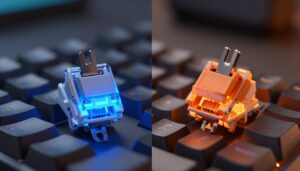
Linear switches offer a smooth, quiet travel with no bump. I prefer them for rapid, consistent button presses in tight firefights.
Tactile switches give a small bump that aids typing precision and confirms input without heavy force. That feedback helps when you split time between gaming and typing.
Analog and Hall Effect solutions push control further. Analog lets you pull partial inputs for analogue-style control, while Hall Effect provides adjustable actuation for fine tuning.
- The switch tech you pick directly affects speed and control.
- Logitech G PRO X is a good example of a board that lets you swap Linear, Tactile, or Clicky GX options.
- Consider your typical role, typing needs, and price when choosing switches.
| Switch Category | Player Benefit | Typical Use |
|---|---|---|
| Linear | Smooth, fast presses | FPS, rapid macros |
| Tactile | Feedback on actuation | Mixed gaming and typing |
| Analog / Hall Effect | Adjustable actuation, variable input | Advanced control, pro play |
Why Connectivity Matters for Your Desk Layout
Choosing how your board connects can change the look and workflow of your entire desk.
Wireless modes give a clean aesthetic and free up space behind monitors. I like a tidy surface for quick mouse sweeps and a minimal setup when streaming or working.
But wired connections deliver the lowest latency for serious gaming. If I’m playing ranked matches, I plug in to avoid any chance of input lag.
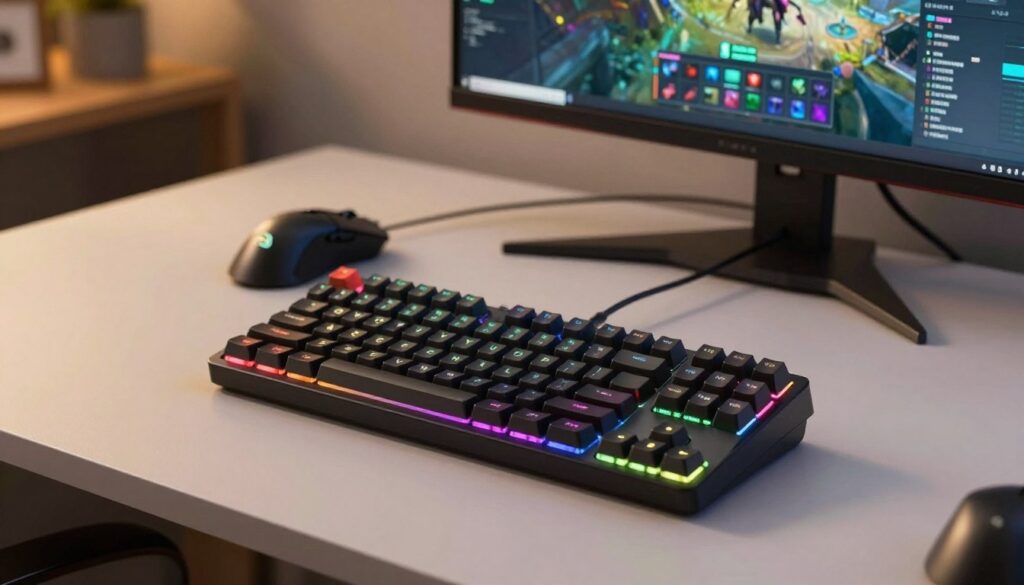
The Redragon K530 Pro Draconic offers tri-mode connectivity, so you can switch between Bluetooth, 2.4GHz wireless, and USB-C wired on the fly. That flexibility makes this keyboard a solid option for mixed use.
- I’ve found Royal Kludge models excel at multi-device features and stable wireless performance.
- Switching between Bluetooth and 2.4GHz reduces cable clutter and speeds workflow when you use multiple devices.
- Pick the connection that fits your priorities: lowest latency for gaming or the convenience and tidy look of wireless, balanced with price and features.
Mastering Layers and Shortcuts on Small Boards
Learning to use layers and shortcuts turns a tight layout into a full-featured setup for fast play. On a compact board, missing keys are not a limitation if you map them smartly.
Keyboard typically uses a function layer to unlock the arrow cluster, function row, and other hidden keys. I recommend spending a little practice time memorizing the most used combos.
Accessing Arrow Keys
Most 61-key layouts hide arrows behind a function key. I map a convenient combo so I can hit arrows without breaking my hand position.
Tip: set a sticky layer or a one-shot modifier in the software so arrows are simple to reach during clutch plays.
Managing Media Controls
Media and RGB control should be on a quick-access layer. I bind play, volume, and RGB cycles to a nearby row so I don’t lose time during matches.
The Razer Huntsman models let you remap layers in their software. Using that tool, you can keep essential commands under your fingers and avoid hunting for keys.
| Action | Layer | Why it matters |
|---|---|---|
| Arrows | Fn + I/J/K/L | Keeps hands on WASD |
| Volume | Fn + Q/W | Fast audio tweaks mid-game |
| RGB | Fn + R/T | Quick lighting changes for focus |
- After a short time, these shortcuts become second nature and speed up play.
- Wireless boards add freedom, but remember to track battery and layer usage to avoid surprises.
Build Quality and Material Considerations
I focus on how a keyboard is built because the case, caps, and mount shape the feel in play.
The HyperX Alloy Origins 60 uses double-shot PBT keycaps that resist shine and keep a steady typing experience over time. I find PBT feels firmer than ABS and holds texture after long sessions.
Aircraft-grade aluminum in the case reduces flex and makes the board last. A rigid frame helps build muscle memory, since keypresses stay consistent during clutch moments.
- Durability: metal cases stand up to years of use.
- Feel: PBT caps give a satisfying, non-slip surface.
- Cost doesn’t always mean compromise—some budget options still prioritize quality materials and solid mounts.
- Switches and plate choices change sound and rebound, so pick components that match your playstyle.
| Material | Player Impact | Common Use |
|---|---|---|
| Aluminum | Low flex, stable feel | High-end and durable boards |
| Plastic | Lightweight, more flex | Entry-level and ultra-portable models |
| PBT Caps | Long-lasting texture, consistent typing | Performance and typing-focused options |
A solid build pays dividends in both practice and ranked play. When I weigh a purchase, the materials and construction matter as much as rgb, price, or switch type.
Choose a board that gives the right mix of durability and feel for your setup. A well-made keyboard is an investment in consistent performance.
Customization and Software for Personalization
Good customization software turns a plain gaming keyboard into a tailored tool that matches how you play.
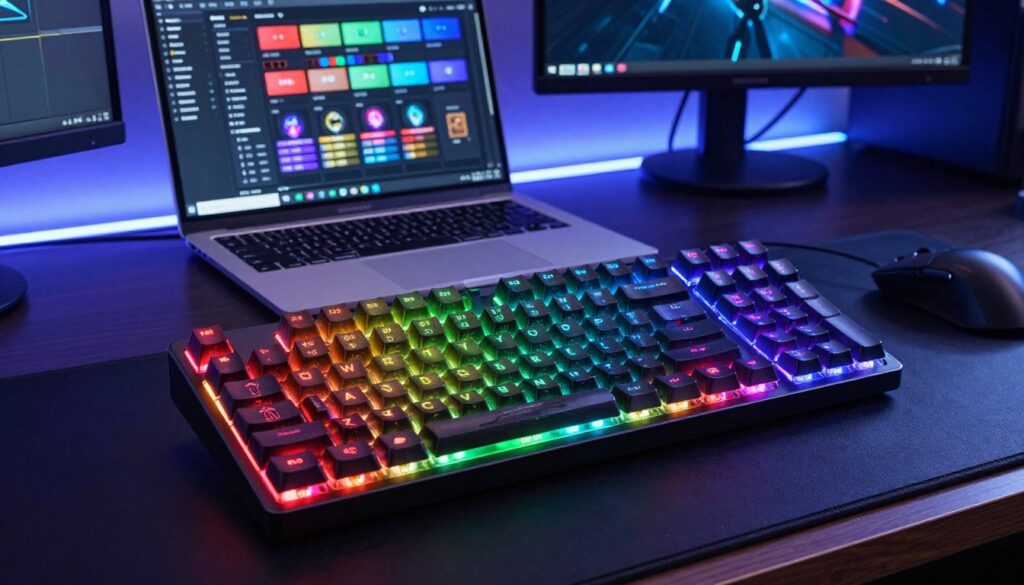
I use drivers to remap keys, make macros, and set per-key RGB so the board works the way I want. The EPOMAKER driver on the AULA WIN60 HE makes per-key lighting and remapping simple.
Hall Effect magnetic switches on that model let you tune actuation points in software. I can set a shallow actuation for quick taps or a deeper point for reliable typing.
Both mechanical and optical switches gain from robust support. Creating macros saves time on complex actions and gives me precise control in matches.
Analog input tuning is a real advantage. It helps with gradual movement and fine aim. Personalization is not just cosmetic — it shapes how the board feels and performs for your playstyle and budget.
- Per-key remap and RGB for quick access.
- Hall Effect tuning adjusts actuation to your point of view.
- Macro support speeds complex tasks and in-game routines.
Comparing Wired Versus Wireless Performance
Latency and stability are the two factors I watch first when testing wired versus wireless setups.
The Logitech G PRO X with LIGHTSPEED proves modern wireless can feel virtually indistinguishable from a wired keyboard in tight play.
I still recommend a wired connection for ranked matches because it removes doubt about input timing. For a clean desk and everyday use, wireless gives freedom without much trade-off.
Royal Kludge models are a solid pick if you want wireless flexibility plus the option to plug in when needed. That hybrid approach fits many budgets and setups.
- Software often keeps RGB and macros identical across wired and wireless modes.
- Your choice should match how often you move the keyboard and the room setup for gaming.
- I weigh price, switches, and connectivity when I add a board to my review list.
| Mode | Latency | Best For |
|---|---|---|
| Wired | Lowest | Competitive play, steady typing |
| LIGHTSPEED Wireless | Near-wired | Pro-level wireless experience |
| Tri-mode (Royal Kludge) | Flexible | Travel, home use, budget-conscious gamers |
Ergonomics and Desk Space Advantages
A tighter desk layout can change how my shoulders and wrists feel after long sessions. I find small shifts in position cut down fatigue and let me keep focus.
With a compact keyboard I keep the mouse and keyboard closer together. That reduces shoulder strain and makes wide, low-sense mouse sweeps easier.
Less reach means fewer accidental stretches. The reduced number of keys also keeps my hands in a natural position for longer. Over time that lowers the risk of repetitive strain while gaming or typing.
- More desk space for a larger mouse pad improves tracking and aim.
- Closer hand placement shortens travel time between keys and mouse.
- Fewer keys mean faster access to mapped functions and reduced fatigue.
- Compact layouts let you position wrist rests and monitors for better posture.
- Smart switch choices help match feel and longevity without adding bulk.
I’ve noticed gamers adapt quickly to the change and save time when reaching for critical binds. If price or form factor matters, a compact option often gives more value per inch of desk space and better comfort in real play.
Essential Tips for Transitioning to a Smaller Layout
Moving to a smaller layout forces you to rethink where your most-used keys live. A keyboard typically needs a short adjustment period, especially if you are used to a dedicated function row.
I advise practicing your typing experience for at least a week. Short daily sessions build muscle memory faster than long, tiring stretches.
Review your shortcuts and remap them in the software. I map media, macros, and arrows to a comfortable Fn combo so I never break my hand position during gaming.
Try different switches if your board is hot-swappable. Lighter linear switches help with rapid taps, while tactile options aid in reliable presses when accuracy matters.
The transition is easier than it seems. The compact design makes you deliberate with each press, and once you master the function layer the layout often feels faster than a full-size keyboard.
- Practice daily for a week to lock in remaps.
- Use software to move critical functions near your thumbs.
- Swap switches to match your playstyle when possible.
| Tip | Time | Tool | Benefit |
|---|---|---|---|
| Muscle memory practice | 1 week | Daily typing drills | Smoother typing and faster binds |
| Remap shortcuts | 1–2 sessions | Keyboard software | Maintains workflow and speed |
| Test switches | Varies | Hot-swap or test kit | Optimizes feel for gaming or typing |
Conclusion
I focus on balancing latency, build, and software to help you make a clear choice. The Razer Huntsman V3 Pro Mini stays my top pick for players who want analog control and rapid trigger performance.
Choosing the right gaming keyboard comes down to speed, switch feel, and the features you actually use. A solid board with reliable connectivity and easy-to-use software will change your match-day experience.
There are great budget mechanical options that offer real value, and premium models with aluminum frames and advanced switches for pro play. Think about price, typing comfort, and wireless needs when you pick a keyboard.
Investing in quality pays off in comfort and consistency. Use this list and review details to find the option that fits your playstyle and time at the desk.
FAQ
What makes a 60% keyboard a good pick for competitive FPS gaming?
I prefer compact boards because they free up desk space and improve mouse movement. A smaller layout eliminates the function row and numpad, so I can place my mouse closer and move it with fewer obstructions. That translates to faster flicks and more consistent aim in fast-paced matches.
How do portability and weight affect my setup?
I choose lightweight, portable builds when I travel to LANs or swap rigs often. A compact form factor and aluminum or plastic case keep the weight down. Lighter boards are easier to pack and let me maintain the same feel whether I’m at home or on the road.
Which switch types help with faster inputs and cleaner keypresses?
I look for low-actuation switches like linear or optical variants that register quickly and return smoothly. Linear switches reduce tactile bumps that can slow rapid tap sequences, while optical switches cut debounce delay, which can sharpen responsiveness in high-frame-rate games.
Are adjustable actuation and rapid-trigger tech worth it?
Yes — I find adjustable actuation useful because I can tune key travel for different games or playstyles. Rapid-trigger or dual-trigger features are helpful if you want ultra-fast repeat inputs. They can give a real edge in titles that reward quick keystrokes.
How do I access arrow keys and media controls on a 60% layout?
I rely on layer functionality. Most compact boards map arrows and media to a function layer activated by a dedicated FN key. Learning a few layer combos becomes second nature and keeps my desk uncluttered without losing functionality.
Does wireless connectivity introduce input lag for gaming?
Not always. I use high-quality wireless modes (low-latency 2.4 GHz or Bluetooth with gaming profiles) and rarely notice lag. For the absolute lowest latency, wired USB remains the safest option, but many modern wireless setups are excellent for competitive play.
How important is build material for durability and feel?
I prefer solid construction because a sturdy case reduces flex and improves acoustics. Aluminum frames feel premium and dampen wobble, while reinforced plastic can still deliver reliable performance at a lower price point.
Can I customize keycaps, switches, and lighting on these boards?
Yes. I often swap keycaps and switches to match my preferred feel and sound. RGB and per-key lighting are common, and companion software from brands like Razer or Royal Kludge lets me remap keys and save profiles for different games.
What should I consider when choosing a budget-friendly compact board?
I balance switch quality, build material, and feature set. Look for hot-swappable PCBs, reliable stabilizers, and a good warranty. You can get great value without sacrificing typing feel or essential gaming features.
Is switching from a full-size layout to a 60% layout difficult?
The transition takes a few sessions. I practiced common shortcuts and layer combos daily until muscle memory set in. Within a week, I found the compact layout faster for gaming and nearly as efficient for typing.
How do linear and tactile switches compare for gaming and typing?
I use linear switches for fast, smooth keypresses in games and prefer tactile switches when I want a subtle bump for typing accuracy. Both work for gaming; the choice comes down to whether I want feedback or uninterrupted travel.
Do analog or Hall effect switches matter for competitive play?
Analog and Hall effect options add features like variable actuation and enhanced durability. I consider them if I want fine-grained control or near-zero wear, but they’re more niche and often pricier than standard optical or mechanical switch setups.
How can software improve my small-layout workflow?
I use manufacturer software to create profiles, remap keys, and program macros. Good software makes layer management, RGB control, and per-game setups intuitive, so I get more from a compact board without memorizing complex combos.
What role does keycap profile play in comfort and accuracy?
Keycap profile affects finger positioning and travel feel. I prefer sculpted profiles like Cherry or OEM for comfortable reach and clear row differences. Low-profile caps can speed up actuation, but I test them first to ensure they match my typing style.

Dylan Mercer is a hardware enthusiast specializing in mechanical keyboards and high-performance mice. He shares in-depth reviews, switch comparisons, and setup tips to help users achieve precision, speed, and comfort in every click and keystroke.