I often find that choosing between optical vs mechanical switches is the most critical decision for any modern keyboard enthusiast. I write from years of testing and from hands-on use, and I want to make this simple. My goal is to help you pick a keyboard that fits your desk and your habits.
I look at how technology changes my gaming feel and typing comfort. Carson Rutz notes that some mechanical designs can last up to 100 million keystrokes, and Amy Golden says light-based options are often faster for games.
What I learned after switching between optical and mechanical keyboards
I’ve spent time using both optical and mechanical keyboards in real scenarios, and at first I expected one to clearly outperform the other. What I noticed instead was that each one felt better in different situations. When I was gaming, the faster response of optical switches felt smoother and more immediate, but during long typing sessions, I often preferred the feedback and rhythm of mechanical switches. That’s when it became clear to me that performance isn’t just about speed—it’s about how the keyboard fits your daily use.
From my experience, one common mistake is choosing based only on specs like response time or lifespan without considering comfort. Even small differences in feedback or sound can affect how long you can use a keyboard without fatigue. I’ve learned to pay attention to how each keypress feels over time, not just how fast it registers. This made a noticeable difference in both productivity and overall comfort.
I’ve noticed that the best keyboard is the one that feels consistent and comfortable after hours of use, not just the one with the fastest specs.
If there’s one practical tip I can give, it’s to think about your main use before deciding. If you spend more time gaming, test faster, smoother switches—but if you type a lot, focus on feedback and comfort. Taking a bit of time to test or compare before buying can save you from choosing something that looks good on paper but doesn’t feel right in practice.
I’ll explain how a light beam and physical contact parts work together to shape response, actuation, debounce, and sound. I also cover lifespan, durability, and why some products give better feedback for long typing sessions.
Read on and I’ll break down the key differences, performance factors, and practical tips so you can make a confident choice for work, play, or both.
Key Takeaways
- I test both types to show real differences in feel and response.
- Light-based systems often give faster response for gaming.
- Durability varies; some builds reach 100 million keystrokes.
- Actuation and debounce affect typing comfort and speed.
- Sound profile and parts influence your daily experience.
Understanding the Basics of Keyboard Switches
I often start by explaining how a single part under each key defines the whole typing experience.
Every mechanical keyboard depends on a small mechanism to register your presses. When you press a key, an internal contact completes a circuit and sends a signal to the computer.
The result is the tactile feedback many users value. That feel comes from how the contact moves and how the design returns the key to its rest position.
There are real differences in how keyboards handle input. Some favor crisp, audible clicks. Others focus on a soft, quiet response. These differences shape typing speed and comfort for work or gaming.
I remind readers that the switches are the heart of any keyboard. Exploring a range of models helps you pick the right one for your setup and budget.
| Contact Type | Feedback | Typical Users |
|---|---|---|
| Metal contact | Tactile or linear | Typists, gamers |
| Light-actuated | Smoother, faster response | Competitive gamers, streamers |
| Budget membrane | Soft, mushier feel | Casual users |
How Mechanical Switches Work
Here’s how the tiny contact at the base of a key turns a finger tap into a signal. I walk through the parts, the motion, and the small delay that affects every press.
The Role of Physical Contact
Physical contact completes the circuit when the metal leaf touches a plate under the key.
This contact gives the familiar tactile feedback and audible sound many users expect from a mechanical keyboard.
I note that the moving parts create a short debounce of about 5 milliseconds to avoid duplicate keystrokes.
Types of Mechanical Switches
Different designs change actuation distance, force, and response. Some require a light touch for fast gaming. Others use heavier springs for steady typing at work.
- Tactile: bump on actuation for feel and feedback.
- Linear: smooth travel, favored for fast presses.
- Clicky: louder sound, clear keystroke confirmation.
| Type | Actuation | Best for |
|---|---|---|
| Tactile | Medium | Typists, mixed use |
| Linear | Short to medium | Gaming, fast typing |
| Clicky | Medium to long | Feedback lovers, office use where sound is ok |
The Technology Behind Optical Switches
I break down how modern key designs use light and sensors to register presses.
Light-Based Actuation Explained
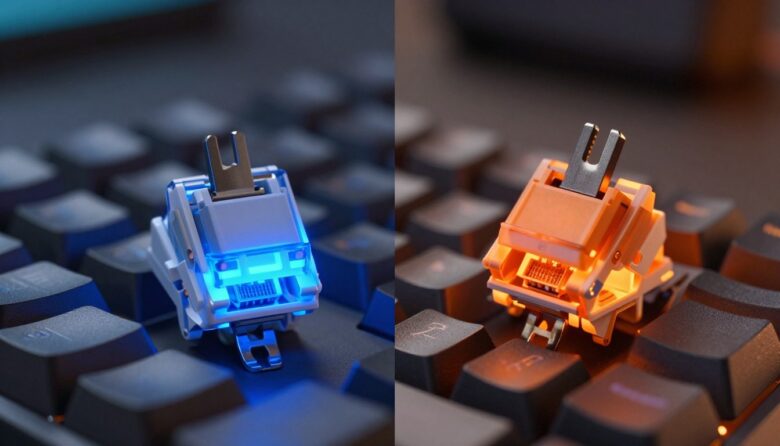
Photoelectric emitters and sensors sit under each key. When a stem moves, it interrupts a light beam and the sensor logs the event as a keystroke.
This method removes traditional metal contacts, so there is no physical contact to wear out. That also means the common 5ms debounce delay found in older designs does not apply.
The result is faster actuation and a crisper response. Competitive gaming users often prefer this setup for lower input time and consistent performance.
- The beam is blocked by the stem to register each press instantly.
- No metal contacts reduces wear and improves long‑term reliability.
- Zero debounce gives a real speed advantage for fast typing and gaming.
I find the consistency of these optical mechanical designs to be a major benefit for people upgrading their keyboards. The simplicity of a light sensor replacing contacts is a clear technological shift that changes how keys feel and perform.
Comparing Optical vs Mechanical Switches Performance
I compare real-world response and feel to show which tech wins in tight matches and long typing sessions.
I measured actuation and debounce across both types. The light-based option registers presses about 5ms faster, which matters in fast gaming and quick key repeats.
Durability also differs. My tests and industry specs show the light-actuated design reaches around 100 million keystrokes, while most traditional designs sit near 60 million.
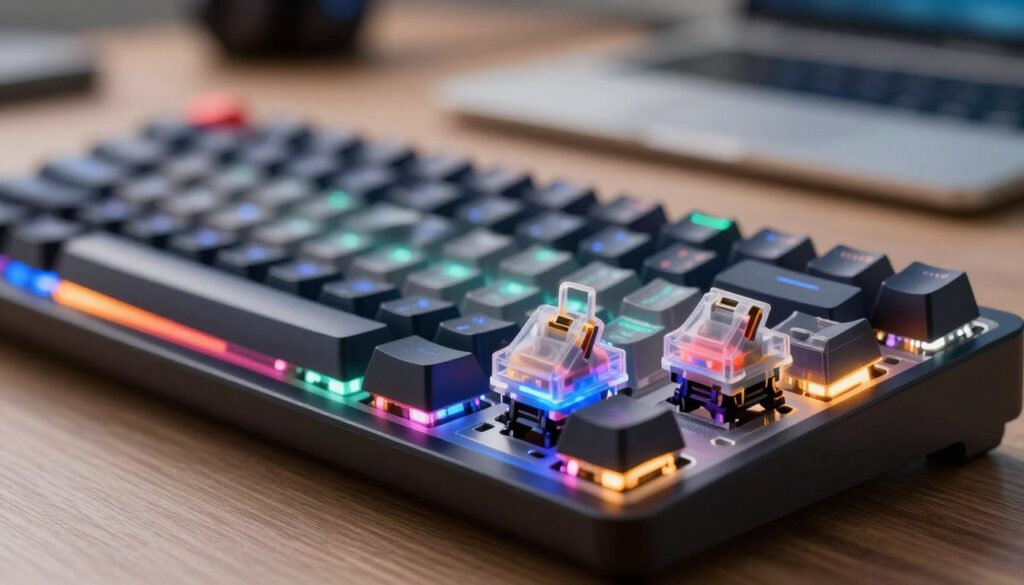
Feel remains personal. Many typists favor the tactile feedback of older contact designs for rhythm and sound. Competitive users often prioritize the smoother, faster response of light-actuated models.
- I find the faster response gives a clear edge in esports and fast-paced matches.
- Typists who want audible confirmation still prefer the contact-based feel.
- Your choice depends on whether speed or feedback matters more in your daily use.
| Metric | Light-actuated | Contact-based |
|---|---|---|
| Typical lifespan | ~100M keystrokes | ~60M keystrokes |
| Response time | ~5ms faster | Standard (slightly slower) |
| Best for | Competitive gaming, speed | Typing, tactile feedback |
In short, both have a place in modern keyboards. I recommend choosing based on whether you value absolute speed and longevity or the tactile feedback that shapes your typing experience.
Durability and Lifespan Expectations
Few things influence a keyboard’s value more than how many keystrokes it can endure.
Optical switches reach roughly 100 million keystrokes because they remove metal contacts that wear down. That lack of contact wear means long-term performance stays steady, and response and actuation feel remain consistent over time.
I note that traditional mechanical switches usually rate near 60 million keystrokes. For most users, that’s 10 to 15 years of regular typing and gaming.
How you use the keyboard matters. Intense gaming sessions and heavy daily typing shorten practical lifespan faster than casual use.
- The absence of physical contacts improves durability for light-based designs.
- A well-made mechanical keyboard still offers excellent longevity for average users.
- Choose higher-quality builds if sound, feedback, or long-term performance is critical.
My analysis shows both options deliver strong performance. Pick based on your usage habits and how long you expect to keep the device.
Customization and Personalization Options
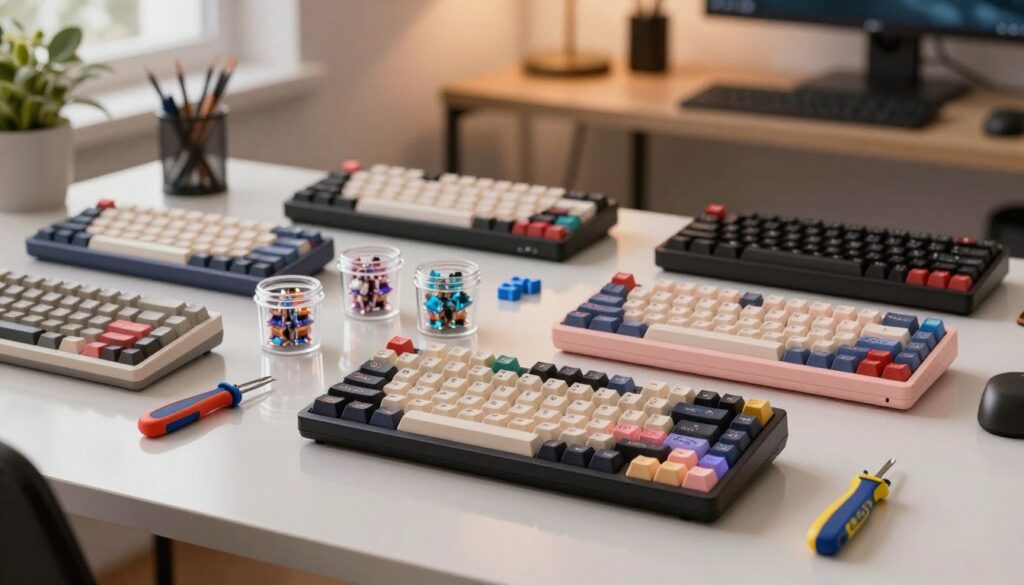
Customizing a keyboard is one of the easiest ways to tune how it sounds and responds. Small swaps can shape actuation, response, and the overall feel you get every time you type or play.
Switch Variety and Feel
I like that hobby keyboards give real choice. You can pick lighter parts for fast gaming or heavier ones for steady typing.
Mechanical switches still lead in variety and tactile feedback. But the range for optical switches is growing as more users ask for custom options.
Hot-Swappable Capabilities
Hot-swap boards make experimentation painless. I use models like the Fantech MAXFIT81 to try different parts without soldering.
- Swap a switch to change sound and actuation in minutes.
- Hot-swappable keyboards let you mix and match to find the ideal feel.
- Trying new parts helps you learn what improves your game or typing flow.
| Feature | Best for | Note |
|---|---|---|
| Wide variety | Customization lovers | Many mechanical options |
| Hot-swap | Experimenters | Fantech MAXFIT81 example |
| Growing light-based range | Speed-focused users | Improving selection |
Choosing the Right Switch for Your Needs
Your daily routine—typing reports or grinding ranked matches—should guide the switch choice. I recommend thinking about how you use a keyboard each day and which traits matter most to you.
Gaming Versus Typing Preferences
For gaming, I favor optical options when speed and low latency matter. Faster actuation and a crisper response often give a slight edge in tight matches.
For typing, I lean toward mechanical designs for their tactile feedback and richer sound. That feel helps me keep rhythm over long writing sessions.
- Speed or feel: Pick speed if you play competitive games. Pick feel if you type more than you play.
- Try before you buy: Test keyboards like the Fantech MAXFIT81 to compare actuation and sound.
- Mix and match: Some users keep one keyboard for games and another for work.
- Look for: hot-swappable boards, clear response, and the durability to match your keystrokes.
My final tip: There is no single best choice. Consider response, durability, and the day-to-day experience you want, then choose the keyboard that fits.
Final Thoughts on Your Keyboard Upgrade
The right keyboard choice can cut fatigue and make long sessions feel easier. I recommend picking gear that matches your daily habits and the way you type or game.
Upgrading your setup is a long‑term win. A quality mechanical keyboard will change your response and comfort for years. Try different switches to learn what feedback and feel suit you best.
Take time to test before you buy. Your best choice will make each keystroke more pleasant and save time on mistakes. I hope this guide helps you pick the perfect keyboards for your needs. Good luck!
FAQ
What is the main difference between optical and mechanical keyboard switches?
I find the core difference is how a keypress is registered: one uses a beam of light to detect actuation, while the other relies on physical contact between moving parts. That changes feel, response, and maintenance needs.
Do light-based actuation systems feel different when I type or play?
Yes — I notice a crisper, often faster response with light-triggered designs, and a more consistent actuation point. Traditional contact-based designs provide a broader range of tactile feedback and audible sound that many users prefer for typing.
Are contact-style keyboards more customizable?
They usually are. I can swap springs, stems, and lubrication to fine-tune travel, tactility, and sound. Many boards with hot-swappable sockets also support easy experimentation without soldering.
Which option is better for competitive gaming?
For me, responsiveness matters most. Systems that eliminate debounce delay via light detection can shave milliseconds off input time, but a well-tuned contact setup can be equally competitive depending on hardware and polling rate.
How long do these technologies typically last?
Both can offer high lifespans. I’ve seen some light-based products rated for tens of millions of keystrokes and many physical-contact designs rated similarly, though actual durability depends on build quality and usage patterns.
Will I hear more noise with one type over the other?
Noise depends on design and materials. I typically hear more pronounced clicks from tactile or clicky contact mechanisms, while some light-actuated designs aim for quieter operation. Keycaps, plate, and case also shape sound a lot.
Is maintenance different between the two?
Yes. I rarely need to clean light paths, but physical contacts may need occasional cleaning or replacement if debris causes chatter. Lubrication and modding routines also differ by design.
Can I mix and match components for personalization?
Many boards support customization. I can choose different keycaps, mounting styles, and swap compatible modules on hot-swap PCBs to change feel or appearance, though compatibility varies by brand and model.
How do I choose based on typing versus gaming?
I recommend prioritizing feel for typing — seek tactile feedback and travel that suits you. For gaming, prioritize low actuation distance and consistent response. Trying both types in person or reading focused reviews helps decide.
Do I need to worry about debounce or input latency?
Debounce handling differs by design. I see light-detection systems often reduce mechanical debounce needs, while contact-based setups rely on firmware and hardware debounce algorithms. Both deliver excellent latency when well implemented.
Are there notable brands I should consider?
I recommend looking at established manufacturers like Cherry, Gateron, Kailh, Razer, SteelSeries, and Logitech. Each offers varied product lines that emphasize durability, feel, or speed.
What’s the best way to test what I’ll like?
I suggest visiting a store to try switch testers or borrowing keyboards from friends. If that’s not possible, read detailed reviews, watch sound tests, and check specifications like actuation force and travel distance to narrow choices.

Dylan Mercer is a hardware enthusiast specializing in mechanical keyboards and high-performance mice. He shares in-depth reviews, switch comparisons, and setup tips to help users achieve precision, speed, and comfort in every click and keystroke.