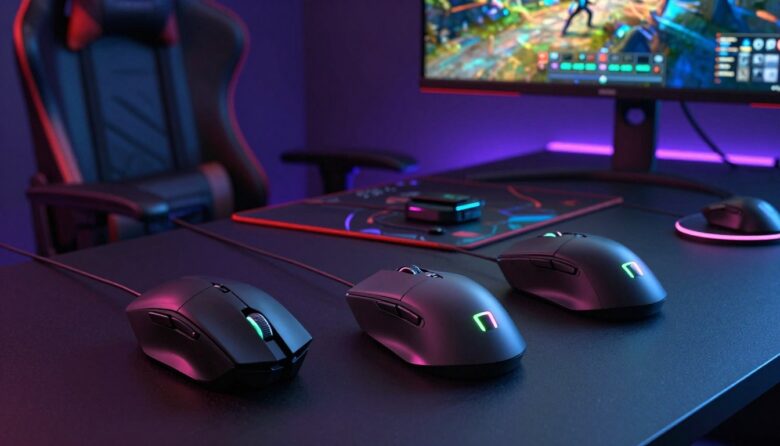
I tested a range of top mouse models so you can play without frustrating lag. I focus on gear that delivers true low-latency response, precise sensors, and long comfort for marathon sessions.
My picks cover lightweight designs, durable switches, and fast connectivity. I explain why each option stands out and how it fits different play styles, from quick aim shots to steady strategy moves.
What I realized after testing gaming mice beyond specs and reviews
I’ve spent time testing different gaming mice, and one thing that became clear very quickly is that specs alone don’t tell the full story. I’ve used models with excellent sensors and high polling rates that still didn’t feel right during long sessions. On the other hand, some simpler mice felt much more natural and consistent in actual gameplay. That’s when I understood that real performance comes from how everything works together—shape, weight, and feel—not just numbers on paper.
From my experience, comfort plays a bigger role than most people expect. During extended sessions, even a small mismatch in grip or size can lead to fatigue and reduced precision. I’ve learned to prioritize how the mouse fits my hand and supports my playstyle instead of focusing only on technical specifications. This made my aim more consistent over time and reduced unnecessary strain.
I’ve noticed that the best mouse isn’t the most advanced one—it’s the one you stop thinking about while playing.
If there’s one practical tip I can share, it’s to test your setup in real conditions whenever possible. Adjust settings like DPI and polling rate, play a few matches, and pay attention to how your hand feels after—not just how the cursor moves. This approach helps you find a setup that truly works for you instead of relying only on reviews or recommendations.
I also look at battery life, software tuning, and ergonomics to help you find a device that feels natural in your hand. Whether you want pro-grade accuracy or a solid upgrade for casual matches, I walk you through the choices.
This guide aims to save you time and money by pointing to gear that proved reliable in real use and lab-style tests.
Key Takeaways
- I reviewed models that prioritize zero input lag and high sensor accuracy.
- Comfort and battery life matter as much as raw speed in real matches.
- Good software tuning can fine-tune sensitivity and button maps.
- Lightweight shells often improve aim and reduce fatigue.
- My recommendations suit both casual players and competitive pros.
The Evolution of Wireless Gaming Performance
I watched the shift from corded rigs to top-tier radio systems that match wired speed. Early on, many pros avoided cordless setups, but that stance changed as engineers focused on latency and stability.
Advances in 2.4GHz links gave players a rock-solid connection. Manufacturers tuned firmware, sensors, and polling to prioritize speed and reliability.
My testing shows the gap between cable and radio has mostly closed. Modern mouse designs register inputs instantly, so fast-paced games feel as precise as wired play.
I also see a clear benefit in freedom of movement. Removing the cord reduces drag and improves desk ergonomics, which can boost long sessions and overall performance.
As tech moves forward, these devices keep setting new benchmarks for what we expect from competitive hardware.
Why Zero Input Latency Matters for Competitive Play
In high-stakes play, even tiny input gaps change who wins a duel. I test how delay, or the lack of it, affects split-second choices and overall match flow.
Impact on Reaction Time
Every millisecond cuts into your reaction window. I found that a responsive mouse gives immediate feedback so aim and tracking feel natural.
Quick reactions: a low-latency mouse shortens the time between intent and result. That improves flick shots, target switching, and clutch plays.
Eliminating Signal Interference
Signal noise can create sporadic delays. I rely on 2.4GHz connectivity because it delivers a fast, rock-solid link that keeps inputs consistent.
Consistency beats spikes. Removing interference means fewer surprise drops and steadier performance during long sessions.
- In competitive gaming, every millisecond often determines the outcome.
- High-performance mouse designs focus on instant feedback under pressure.
- Reliable links let you concentrate on strategy, not hardware hiccups.
| Factor | Why it matters | Player benefit |
|---|---|---|
| Input latency | Directly affects shot timing and aim correction | Faster, more accurate responses |
| 2.4GHz connection | Reduces interference and packet loss | Stable performance during intense matches |
| Hardware reliability | Durable switches and tuned firmware prevent hiccups | Confidence to focus on plays, not gear |
Top Picks for the Best Wireless Gaming Mice
I narrowed the field to a few standout picks after weeks of side-by-side testing.
I chose options that deliver low latency, solid build, and comfortable grips. I looked at sensor accuracy, button feel, and how each mouse fits different hand sizes.
- Performance: models that gave instant feedback in fast matches.
- Ergonomics: shapes that reduce fatigue during long sessions.
- Price and value: I compared cost against real-world performance to spot smart buys.
Each review I wrote explains why a specific mouse earned a spot on this list. I tested battery life, software tuning, and signal stability to make sure recommendations hold up in actual games.
If you want high-quality performance without guesswork, these picks simplify the search and help you invest wisely.
Logitech G Pro X Superlight Performance Overview
The Logitech Pro Superlight focuses on shaving grams while keeping pro-level tracking and control. I put this model through aim drills and long sessions to see how its design holds up under pressure.
HERO Sensor Capabilities
The 25K HERO sensor is the heart of this mouse. In my tests it tracked small flicks and fast swings with no jitter and consistent smoothing.
The logitech pro superlight keeps latency low and accuracy high. That makes it a favorite among pros who need repeatable motion across hours of play.
“Every movement felt precise — the HERO sensor made tiny adjustments feel natural.”
- Build quality: sturdy shell that remains ultra-light without a honeycomb frame.
- Buttons: crisp, purposeful clicks that keep your focus on games.
- Weight and feel: effortless motion that helps sustain high performance.
My review notes the price matches its top-tier status, but the performance and consistent tracking justify the cost for serious players. If you want a low-mass, pro-grade mouse, the logitech pro superlight is hard to beat.
Razer Viper V2 Pro Features and Design
The Razer Viper V2 Pro strips away excess weight to sharpen on-screen precision.
I tested the razer viper line and the V2 Pro stood out for its tight, focused design. It keeps the essentials and removes anything that adds drag.
Build quality feels solid yet light. The shell gives a confident click and long sessions stayed comfortable for my hand.
The Focus Pro sensor tracks small flicks and steady sweeps with reliable accuracy. That sensor makes the mouse feel instant in fast play.
- The left right click buttons are tactile and crisp for repeatable feedback.
- The shape supports a natural grip and precise aim across many games.
- Weight reduction puts this model in a pro class for quick motion control.
“By cutting extras, Razer delivers a simple, high-performance mouse that stays out of the way of play.”
| Feature | What it does | Player benefit |
|---|---|---|
| Focus Pro sensor | High-resolution tracking | Tighter aim and consistent response |
| Lightweight shell | Reduced inertia | Faster flicks and less fatigue |
| Button feel | Tactile left/right clicks | Clear feedback for timed actions |
In my review, the razer viper V2 Pro is a lean choice for players who want pro-level tools without extra mass.
Logitech G604 Lightspeed for MMO Enthusiasts
I tested the Logitech G604 Lightspeed with long raid sessions and action-heavy skirmishes. It targets players who need many on-hand commands without digging through menus.
Programmable Button Layout
The G604 packs 15 programmable buttons, giving you room to map macros, mounts, and consumables. I liked how each button feels distinct under thumb and index reach.
Customization: the companion software lets you assign complex macros and swap profiles on the fly. That flexibility rivals the razer naga pro in raw button count and practical setup.
“Fifteen buttons meant my keybinds matched in-game needs without compromise.”
Multi-Device Connectivity
The Lightspeed link kept input lag low while I switched between PC and a secondary laptop. Multi-device switching made workflow smooth for stream/chat tools and out-of-game tasks.
Battery life held up across a week of heavy play, and the ergonomic shape reduced fatigue despite the G604 being heavier than lighter models.
- The price reflects versatility—useful if you also own a Logitech G502 for other roles.
- Performance stays responsive thanks to Lightspeed tech and sturdy build quality.
Razer Basilisk V3 Pro Ergonomic Advantages
If you prioritize grip and long-session comfort, the Razer Basilisk V3 Pro aims squarely at that need.
I found the sculpted shape supports my palm and reduces strain during marathon play. The design favors a relaxed grip and keeps fingers aligned over the main buttons.
The Focus Pro 35K optical sensor inside delivers the tracking accuracy I expect for competitive play and casual sessions alike. That sensor makes small aim corrections feel precise and predictable.
I like the RGB lighting on the Basilisk for aesthetics; it adds personality without getting in the way. The left right click action is tactile and clear, so inputs feel deliberate.
- Comfort-first shape: supports the whole hand for long hours.
- Well-placed buttons: easy access to side controls and a textured thumb rest for grip.
- Balanced weight: gives stability rather than ultra-light flicks.
Compared to the razer viper line, the Basilisk trades extreme lightness for supportive ergonomics and extra customization. For me, the premium price matches the fit, finish, and thoughtful feature set that make this mouse a strong option for players who value comfort.
Logitech G305 Budget Wireless Performance
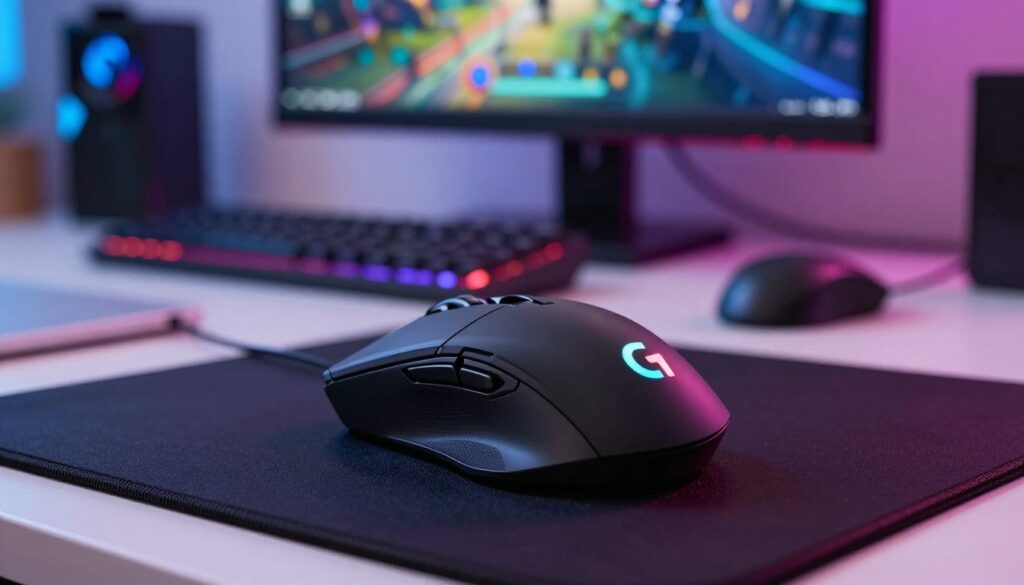
For players on a budget, the Logitech G305 proves peak sensor performance doesn’t require a high price tag.
The G305 uses the HERO sensor found in many Logitech Pro designs, so tracking and consistency feel familiar. I noticed tight aim and no odd smoothing during fast flicks.
Value for money
Value for Money
This mouse delivers reliable performance at a low price. The shape fits multiple grip types and keeps sessions comfortable.
- Sensor: HERO tracking gives precise, repeatable input.
- Battery life: long runtime means fewer swaps and less fuss.
- Buttons: responsive clicks that hold up across games.
My review finds the G305 a solid option when you want the feel of a logitech pro model without the premium. It proves consistent performance and sensible weight can coexist with a friendly price.
If you seek an entry point into wireless gaming without sacrificing core features, the G305 is a smart, no-frills pick.
Understanding Sensor Technology and DPI
A sensor decides how faithfully a mouse turns your hand motion into on-screen action.
I explain DPI as dots per inch: it sets sensitivity so you can tune cursor speed for aim or broad camera swings.
The sensor is the heart of a gaming mouse and handles tracking, lift-off behavior, and surface compatibility.
Modern sensor chips are very accurate. In my tests they kept aim steady at high speed and avoided jitter or unexpected smoothing.
“A high-quality sensor makes high-DPI settings usable and precise, not noisy.”
- Accuracy: Good sensors keep small corrections predictable.
- Range: Higher DPI helps fast camera turns without losing control.
- Consistency: Reliable tracking avoids surprise errors mid-match.
| Spec | What it affects | Player result |
|---|---|---|
| Max DPI | Cursor speed ceiling | Faster screen turns, useful for low-sense players |
| Tracking precision | How faithfully motion maps to cursor | Smoother aim and fewer corrections |
| Surface tuning | Sensors optimized for pads or desks | Stable response across different setups |
Knowing how the sensor and DPI interact helped me pick mice that felt right in actual games. Choose a model with a proven sensor and you get smooth, responsive control.
The Importance of Polling Rates in Gaming
Polling rate sets how often a mouse talks to your PC, and that cadence shapes play responsiveness. In simple terms, the polling rate is measured in MHz and defines how frequently the device reports position updates.
I found that a higher polling rate gives smoother cursor movement and tighter control. That matters in close fights and fast aim corrections where every millisecond counts.
Top models let you change the polling rate so you can match the setting to your build and your sensor. Adjusting this value helped me tune sensitivity without changing DPI.
Consistency matters more than raw numbers. During testing, wireless gaming mice that held a steady polling rate delivered better tracking and fewer surprises.
- A stable polling rate keeps inputs registered without delay.
- Higher report rates reduce perceived jitter and improve feel.
- Choosing a mouse with reliable reporting boosts overall performance.
“Understanding polling rate helped me dial in responsiveness and keep aim predictable in fast matches.”
When you pick a wireless gaming mouse, check how the polling rate behaves under load—it’s a small spec with a big effect on play.
Battery Life and Charging Ecosystems
I focus on how battery performance and charging systems affect long sessions and day-to-day use. Choosing a mouse with reliable power makes a big difference in play and workflow.
Rechargeable Lithium Batteries
Rechargeable lithium batteries power most modern gaming mice today. I found they offer a good balance of weight, runtime, and environmental benefit compared with disposables.
In my tests, mice with higher-capacity cells delivered longer battery life between charges. Disabling RGB lighting often added hours of runtime, so that setting is an easy trade-off if you want more uninterrupted play.
Wireless Charging Pads
Some models support magnetic or Qi charging pads that top up power without cables. I like setups where the pad doubles as a desk mat, keeping the mouse charged while I play.
Charging ecosystems matter: a cohesive system with spare cables, a solid pad, and clear battery reporting in software made my sessions smoother and reduced the chance of a mid-match cutoff.
- Battery life is critical—you don’t want your mouse to die during games.
- Rechargeable cells give consistent power and lower long-term cost.
- Wireless charging pads add convenience but often raise the price.
- Turning off RGB lighting extends life noticeably in daily use.
“A strong charging ecosystem kept my mouse ready for long sessions and removed the stress of last-minute charging.”
Selecting the Right Grip Style for Your Hand
Your hand shape defines how a mouse feels; picking the right grip keeps aim steady and fatigue low.
I recommend trying different wireless gaming mice to find what fits your palm, fingers, and play style. Test how the left right buttons sit under your fingers and how the overall shape supports your hand.
Claw grip suits players who snap shots and need fast finger action. The arch lets the fingertips press the main buttons quickly.
Palm grip works when you want support across the whole hand. Look for a mouse that fills your palm and lets you rest during long sessions.
Fingertip grip favors small, agile shapes. If you flick and twitch more than you swipe, a compact mouse often helps control.
Understanding your grip helps you choose a mouse that feels like an extension of your hand.
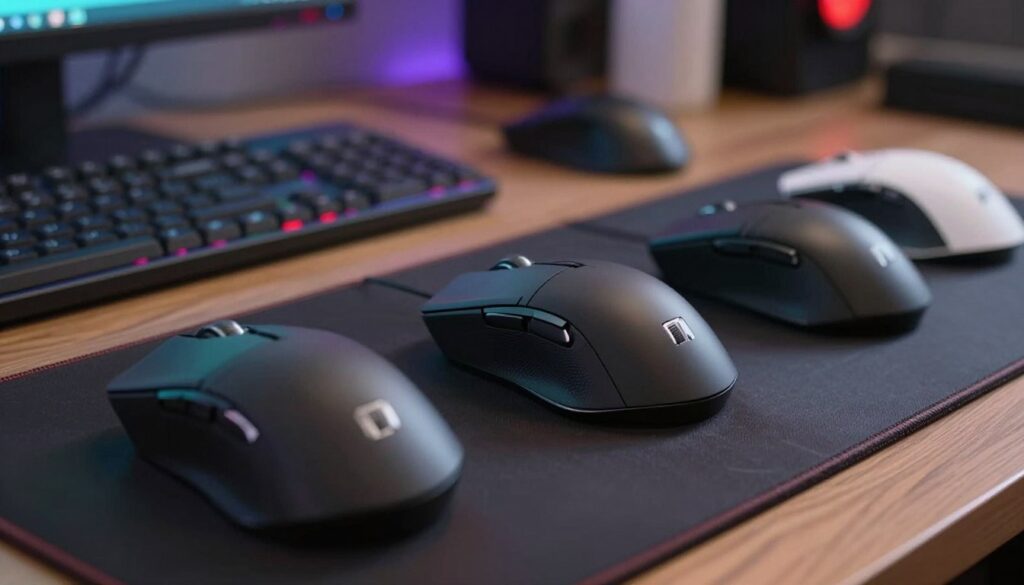
“The right shape matters as much as sensor accuracy — control comes from comfort.”
| Grip | Best for | What to look for |
|---|---|---|
| Claw grip | Fast flicks, quick clicks | Raised arch, responsive left/right buttons |
| Palm grip | Long sessions, stability | Full-body support, larger shape |
| Fingertip grip | Agile movement, low contact | Compact shape, light weight |
Weight and Size Considerations for Precision
Your hand learns a mouse’s mass and form; that familiarity drives precision. I tested how small changes in grams and contours change aim, and the difference was clear in quick drills.
Light models helped me flick faster and track targets with less effort. In contrast, a larger gaming mouse gave me steady control when I rested my palm during long plays.
Try both extremes: a light wireless mouse if you favor rapid motion, or a heavier, larger shape for steady tracking and comfort.
- I checked how weight affects micro-adjustments and overall stability.
- I looked at how the shape and grip support different hand sizes.
- I verified that buttons stay responsive even on the lightest designs.
“Finding the right mass and form made my aim more repeatable across sessions.”
| Spec | Effect | Player benefit |
|---|---|---|
| Low weight (under 70g) | Less inertia, quicker flicks | Faster target acquisition |
| Mid/large size | More palm contact, stability | Better control for long sessions |
| Balanced buttons | Consistent actuation | Fewer misclicks under pressure |
Connectivity Options and Wireless Dongles
Connectivity choices define how reliably your mouse stays responsive during play. Most modern wireless gaming mice ship with a dedicated dongle to ensure a low-latency link.
I found using the included dongle gives the steadiest connection and fewer signal drops than generic adapters. Keep the receiver close to your PC or use a USB extension for a direct line of sight.
Placement matters: a nearby dongle reduces interference and keeps packet loss near zero. I use a 2.4GHz receiver for fast, rock-solid reporting when I need instant feedback.
Setup is usually plug-and-play. These gaming mice pair quickly so you can jump into matches without fuss.
“A high-quality dongle turned unreliable rooms into consistent play spaces.”
- Reliable link: dongles cut out many common signal issues.
- Easy setup: most models auto-pair and report immediately.
- Consistent performance: a proper connection keeps the mouse responsive through long sessions.
In short, a solid connection is the foundation of good play. Use the supplied dongle, place it close, and your wireless mouse will stay accurate and responsive when it counts.
How We Test Gaming Peripherals
I break testing into practical and technical stages to judge how a mouse performs in actual matches.
First, I run hours of hands-on play. I use aim drills, tracking tests, and long sessions to feel how a gaming mouse holds up over time.
Then I verify numbers. I log sensor accuracy, button latency, and polling stability. I also check battery life and charging behavior.
Build quality and ergonomics get their own tests. I press every button, flex the shell, and measure comfort across grip styles.
Real-world results matter most. These steps let me confirm that the wireless gaming mice I recommend deliver consistent performance in actual play.
“Rigorous, repeatable tests give you confidence that a mouse will behave the same under pressure as it does in my review.”
- I test multiple units to catch variance.
- I combine subjective feel with measured data.
- I report clear pros and cons so you can decide with facts, not hype.
Conclusion
I wrap up this guide with practical tips to match a best wireless gaming pick to your playstyle and priorities.
I recommend you weigh sensor accuracy, polling rate, and comfort when you choose a gaming mouse. Each factor changes how the device feels in fast matches and long sessions.
Comfort reduces fatigue. Consistent tracking keeps aim predictable. A steady report rate prevents surprise lag.
Whether you chase pro-level response or a reliable daily performer, pick a model that feels natural in hand and holds up under pressure. Thank you for reading, and good luck finding the mouse that fits your playstyle.
FAQ
How do I achieve zero input latency with a wireless mouse?
I prioritize a mouse with a high-quality sensor, low polling rate latency, and a strong proprietary radio like Lightspeed or Razer HyperSpeed. I also keep firmware up to date, use the included USB dongle in a front port or extender to avoid interference, and disable Bluetooth when possible to reduce signal contention.
Does polling rate really affect responsiveness?
Yes. I look for a 1000 Hz or higher polling rate for the smoothest feedback. A higher polling rate reduces the time between reports to the PC, which improves reaction consistency in fast-paced play.
Which sensor tech should I look for for precise tracking?
I choose mice with proven optical sensors like Logitech’s HERO or PixArt-based chips such as the Focus Pro. Those deliver high DPI options, low jitter, and consistent lift-off distances for reliable tracking across surfaces.
How much does weight influence aiming and control?
Weight matters a lot. I prefer lighter shapes for quick flicks and heavier setups for steady, tracked movements. Many pros favor very light models under 70 grams for fast target acquisition, while some FPS players pick slightly heavier builds for stability.
What grip style should I match to a mouse shape?
I match the mouse to my grip: palm users need fuller, ergonomic shells like the Basilisk line, claw grip fits mid-sized ambidextrous shapes such as the Viper, and fingertip grip benefits from compact, lightweight designs like the Pro X Superlight.
How long does battery life last on high-performance models?
Battery life varies. I’ve seen efficient designs reach 60–100+ hours on moderate lighting and polling settings. Turning off RGB and lowering polling to 500 Hz can extend runtime significantly. Rechargeable lithium packs are common and charge quickly via USB-C.
Are programmable buttons important for MMO or MOBA play?
Absolutely. I recommend mice with multiple programmable inputs and reliable software for macro setup. Models like the G604 offer a dedicated side-button array, which speeds up abilities and item access without reaching for the keyboard.
What’s the difference between proprietary dongles and Bluetooth?
I rely on proprietary dongles for the lowest latency and most stable connection. Bluetooth is convenient for multi-device use and power savings, but it usually introduces slightly more lag and potential interference compared with dedicated radio dongles.
Can wireless mice match the performance of wired ones for competitive play?
Yes. I’ve found top-tier wireless models match or exceed wired performance thanks to advanced sensors and radios. When set up correctly, they deliver the responsiveness and consistency required for high-level competition.
How do I reduce signal interference in a busy setup?
I minimize interference by keeping the dongle away from other USB radios, using a USB extension, turning off nearby Bluetooth devices, and positioning the mouse and PC with a clear line-of-sight. Changing 2.4 GHz channels in the router can also help.
Is RGB lighting worth the battery trade-off?
For me, RGB looks great but it draws power. I turn off or dim lighting during long sessions to preserve battery life. If runtime is critical, choose models with efficient LEDs or no RGB at all.
How often should I update mouse firmware and software?
I check for firmware and driver updates monthly or whenever I notice issues. Updates can improve sensor behavior, button mapping, and connectivity, so keeping software current helps maintain peak performance.
What maintenance keeps a mouse accurate over time?
I keep the sensor area clean with compressed air or a soft brush, replace worn mouse feet when needed, and periodically recalibrate or test surface compatibility. A good mouse pad with consistent texture also extends accuracy.
Are multi-device mice reliable for serious play?
They can be, but I use multi-device connectivity mainly for productivity. For competitive sessions I switch to the dedicated dongle mode to guarantee minimal latency and the most consistent polling behavior.
How should I choose between ambidextrous and ergonomic shapes?
I pick based on handedness, comfort, and game type. Ambidextrous designs suit symmetry and low-weight play styles, while ergonomic right-handed shapes offer better palm support for long sessions. Trying different shapes is the fastest way to decide.

Dylan Mercer is a hardware enthusiast specializing in mechanical keyboards and high-performance mice. He shares in-depth reviews, switch comparisons, and setup tips to help users achieve precision, speed, and comfort in every click and keystroke.