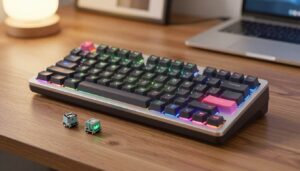
I write this guide so you can find a keyboard switch that fits your hands and pace. I start from how a switch works and move to brands and sound profiles that shape your typing experience.
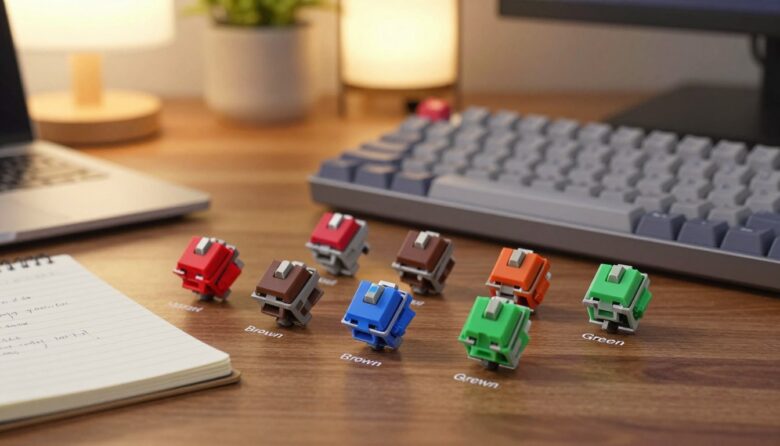
I often test switches by feel and sound. Razer Green, Orange, and Yellow show how design changes affect speed, noise, and feedback. Ajazz Clicky Blue and Kailh Box Pink prove that a clear click can still feel refined.
What helped me choose the right switch after testing different types
When I first started exploring mechanical switches, I kept switching between linear, tactile, and clicky options based on reviews alone. The problem was that what sounded “perfect” online didn’t always feel right during long typing sessions. It wasn’t until I tested a few types side by side that I noticed how much actuation force and feedback affected my comfort. That experience made me realize that the best switch isn’t the most popular one—it’s the one that matches how you actually type.
From my experience, small differences matter more than expected. A slightly heavier spring or a stronger tactile bump can change how quickly your fingers get tired. I’ve learned to pay attention to how my hands feel after an hour of use, not just the first few minutes. This helped me avoid choices that felt good initially but became uncomfortable over time.
I’ve noticed that comfort over long sessions is a better indicator than first impressions when choosing a switch.
If there’s one practical tip I’d give, it’s to test at least two or three switch types before deciding. Even a short comparison can show which one fits your rhythm better and prevent you from choosing something that doesn’t suit your daily use. Taking that extra time usually leads to a much more satisfying setup.
Many users care about actuation force, housing design, and spring resistance. Cherry MX Low Profile offers a slim profile for ergonomic needs, while Cherry MX Brown stays quiet and reliable in office life.
Key Takeaways
- Match actuation force to your keystroke strength for comfort.
- Choose a sound profile that suits office or gaming use.
- Consider housing and spring for the tactile bump and travel you want.
- Try a few types—linear, tactile, and clicky—to find your pace.
- Balance price and parts to get the best feel within your budget.
Understanding the Mechanics of Your Keyboard
Under every keycap sits a small assembly that defines how each keystroke feels and sounds. I want you to picture the tiny parts that shape travel, force, and the overall typing experience.
The Anatomy of a Switch
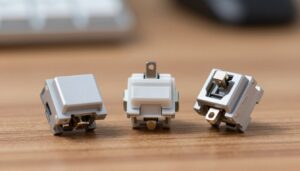
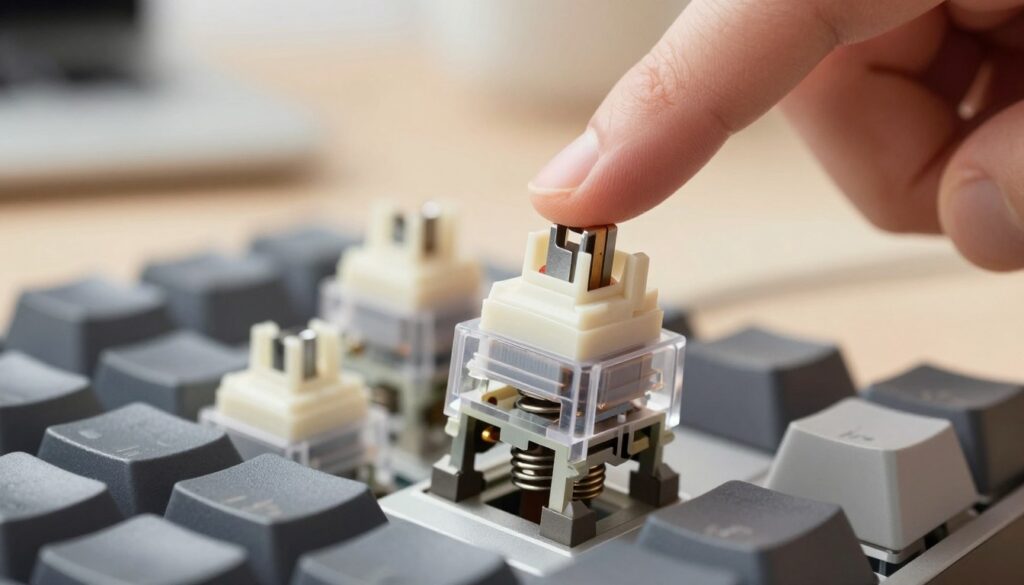
I often start by lifting a keycap and pointing out the spring and plastic housing that make up a typical keyboard switch. These two parts set durability and the core feel you sense with each press.
The housing guides the stem, the spring returns the key, and small seating points control how smooth the travel is. This simple design gives a reliable feel that many pro typists prefer over membranes.
How Switches Register Input
When you press a key, the internal mechanism moves a set distance until it reaches the actuation point. That moment is what registers your command on-screen.
I recommend checking actuation force and distance when you choose a keyboard. Matching force to your natural rhythm improves speed and reduces fatigue, and it affects the sound and noise you make while you work.
Why Choosing the Best Mechanical Switches for Typing Matters
Picking the right switch changes how each hour at the keyboard feels and how tired your hands get. I’ve found that the right mechanical keyboard switches can lower finger fatigue by matching resistance to my rhythm.
Consistency matters. For professional typists, steady actuation force and a solid housing make long sessions predictable. That steadiness improves speed and reduces mistakes.
I pay close attention to sound and tactile feedback when I evaluate a keyboard. A clear sound profile and the right feel help me stay focused and work faster without distraction.
- Comfort: Proper force and travel ease strain.
- Consistency: Reliable actuation gives repeatable results.
- Customization: Choosing parts and design tailors the experience to work or leisure.
Exploring Linear Switches for Smooth Keystrokes
I often recommend linear switches when someone wants a fluid, consistent keypress. They give a uniform force from top to bottom, so each keystroke feels the same.
This predictability helps both gaming and focused data entry. Without a tactile bump or click, actuation is faster and quieter. That makes linear types ideal if speed and low noise matter to you.
Why Gamers and Typists Prefer Linear
Cherry MX Red remains popular among gamers because it is light and smooth. It minimizes resistance during rapid keypresses.
Cherry MX Speed Silver targets responsiveness with a shorter travel distance and a springy feel. I find it especially good when every millisecond counts.
“I prefer linear switches when I want every key to respond the same way—no surprises, just speed.”
| Model | Actuation (mm) | Feel | Best Use |
|---|---|---|---|
| Cherry MX Red | 2.0 | Light, smooth | Gaming, quiet work |
| Cherry MX Speed Silver | 1.2 | Very responsive | Competitive gaming |
| Generic Linear | 2.0–4.0 | Uniform resistance | High-speed entry |
- I value the steady travel distance when I need consistent output.
- Linear designs often reduce noise and supply a cleaner sound profile.
- They suit users who prioritize speed, simple design, and predictable force.
The Benefits of Tactile Switches for Precision
Tactile switches give a small, noticeable bump at the actuation point. That nudge tells me a keypress registered without having to press all the way down.
I prefer a tactile profile when I need accuracy over speed. Cherry MX Brown is quiet and steady, ideal for long hours in an office or when I write a lot.
When I want stronger feedback I try Cherry MX Clear. It adds more resistance and a firmer bump, which helps me avoid accidental taps.
Why tactile types help:
- They confirm actuation with a physical cue, improving precision.
- I keep a steadier rhythm and avoid bottoming out on long passages.
- The subtle sound and distinct feel suit shared workspaces where noise must stay low.
“A good tactile switch blends clear feedback with low noise, so you feel every keystroke without shouting across the room.”
When to Choose Clicky Switches for Audible Feedback
When sound matters as much as feel, a clicky profile turns every keystroke into a clear signal.
I reach for clicky switches when I want that classic, satisfying snap. The audible feedback helps me know a keystroke registered without watching the screen.
Cherry MX Blue is a go-to example. It gives a crisp, familiar click that many typists love.
My time with Kailh Bronze showed something different: they click on both downstroke and upstroke. That dual-click creates a bright, high-pitched tone that feels addictive.
I recommend clicky options at home or in shared spaces where noise is welcome. Be mindful of coworkers and meetings—loud profiles can distract.
“I choose clicky switches when I want clear audible feedback that matches my rhythm.”
- I value the instant feedback for touch typists who want proof of actuation.
- Dual-click designs like Kailh Bronze add a unique feel and sound experience.
- Consider price, housing, and force when you make your choice—these shape travel and noise.
Evaluating Actuation Force and Spring Resistance
Small changes in spring tension can turn a fast keypress into a tiring chore. Actuation force is the grams of pressure needed to register a keystroke on your keyboard. I always check that number before I commit to a keyboard switch.
Understanding Grams of Pressure
Grams of pressure quantify how much force you push against a spring to hit actuation. Lighter springs let you press quickly with less fatigue. Heavier springs demand more force but reduce accidental keypresses.
Finding Your Ideal Resistance
I compare higher-force options like Cherry MX Black to lighter types such as Cherry MX Red to feel the difference. The tactile bump pairs with spring resistance to give clear feedback without extra travel.
- I always check actuation force because it dictates finger effort per keypress.
- Choosing a lighter spring helps speed and lowers fatigue during long sessions.
- A firmer spring improves accuracy and suits heavier-handed users or gaming.
“Understanding grams of pressure is vital—force and spring choice shape every keystroke.”
The Impact of Housing Design on Sound Profiles
Housing shape and material set the stage for a switch’s acoustic character. I listen first to the shell, because the housing often makes a keystroke ring or dampen.
A tight, dense housing can mute unwanted harmonics and yield a cleaner sound when you type. I find that a well-built housing reduces rattle and keeps the keyboard voice professional.
Some designs add resonance. Others absorb energy and make each press quieter. The way the plastic meets the stem and spring changes the travel tone and the feedback you hear.
I note Kailh Box models because their casing protects internals and gives a stable, consistent sound. That stability also improves the feel across the whole keycap surface.
- A good housing dampens noise and sharp overtones.
- Material and shape shape the distance and force you sense in the tone.
- Stable housing brings consistent feedback, no matter where you hit the key.
“The housing decides whether a keyboard sounds tuned or tinny.”
Comparing Cherry MX and Kailh Switch Options
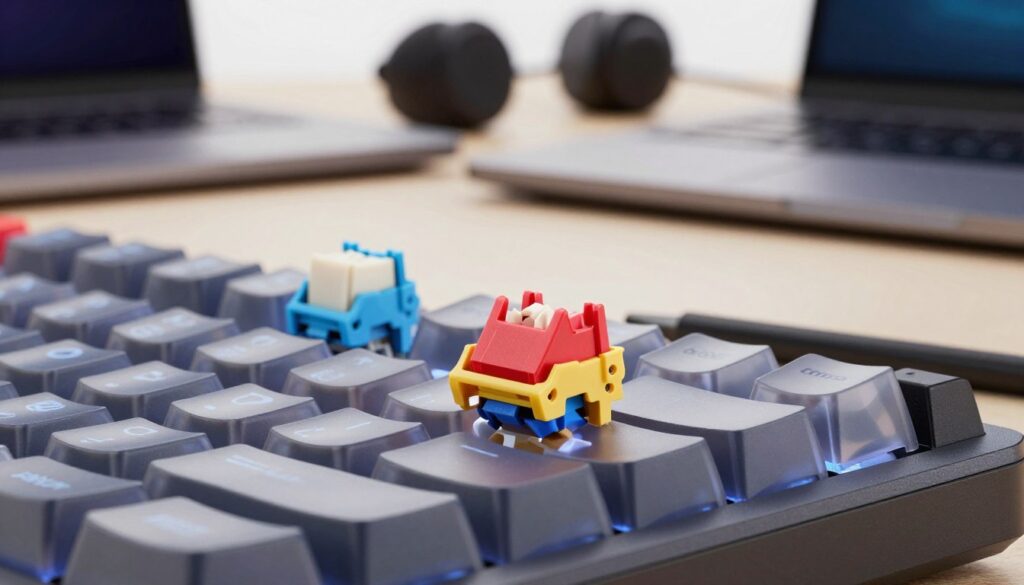
Switch families reveal their character in small details: a bump, a snap, or a muted thud. I look at actuation force, housing, and sound to decide which line matches my pace.
Cherry MX Series Overview
I regard Cherry MX as a reliable baseline. The lineup spans tactile switches like Brown to linear switches used in speed-focused builds.
Cherry MX Brown offers a modest bump and steady feel that suits long sessions and mixed work.
Kailh Box Innovations
The kailh box family modernized housing and sealing to cut wobble and alter the sound profile.
Box Brown gives a gentle bump and solid feedback. Box Black is springy with firm actuation force. Box White is a crunchy, resonant clicky design many users praise.
Choosing Between Brands
I weigh force, travel distance, and the tactile bump when I decide. Cherry MX provides proven consistency, while kailh box variants push design and sound in new directions.
- I test actuation force and feel to match my typing rhythm.
- Pick Cherry MX for steady reliability; choose kailh box for unique sound and housing tech.
- Try both to find the switch that fits your speed and feedback needs.
| Model | Type | Notes |
|---|---|---|
| Cherry MX Brown | Tactile | Moderate bump, reliable feel |
| Kailh Box Black | Linear/Tactile | Firm actuation, springy smoothness |
| Kailh Box White | Clicky | Resonant click, crisp sound |
“I try switches in real sessions — the right choice is the one that keeps my hands happy and my words flowing.”
Considering Low Profile Switches for Ergonomics
Low profile designs shrink travel distance and make long sessions easier on my hands. Cherry MX Low Profile switches are built for thinner keyboards and shorter travel. That change speeds up keystrokes and reduces wrist lift.
I find low profile switches very ergonomic. They cut the distance my fingers travel, which lowers fatigue during extended work. The slimmer layout also fits compact desks and travel rigs.
The reduced travel keeps feel brisk without losing satisfying feedback. Whether you prefer linear switches or tactile switches, a low profile option can keep pace while saving space.
- I notice better comfort when I type for hours.
- Compact design suits tight gaming setups and mobile use.
- Try low profile options to balance speed, force, and the bump or click you like.
“Low profile keys changed my posture and made long days at the desk less tiring.”
Customizing Your Experience Through Lubing
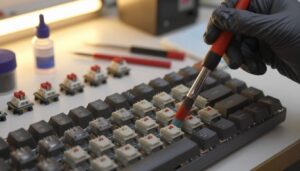
A light dab of lube can change how each keystroke feels and sounds. I use lubrication to reduce friction in the stem, housing, and spring. That lowers scratchiness and makes each press more consistent.
Lubing helps linear switches the most. They become smoother and more fluid, which many gamers and fast typists appreciate. I also lube tactile parts carefully so the bump remains but the travel is cleaner.
Topre and other switch types benefit too. A tiny amount on the spring and contact points can alter the actuation force feel and the sound profile. It turns a standard part into something with a premium voice.
I recommend beginners practice on a spare switch first and use thin, purpose-made lubricants. Take your time—proper technique pays off.
“Lubing changed my keyboard—smoother action and a quieter, richer tone.”
- I often remove a spring and add grease to reduce ping and smooth travel.
- Apply lube sparingly to preserve the tactile bump or the click.
- Test different amounts to match your desired feel and sound.
| Area Lubed | Effect | Recommended Lube |
|---|---|---|
| Stem rails | Reduces scratchiness; smoother travel | Thin Teflon or Krytox GPL 105 |
| Spring | Minimizes ping; evens actuation force | Light grease or Krytox 105/106 mix |
| Housing | Dampens harsh overtones; consistent feel | Very thin film of plastic-safe grease |
Conclusion
The switch you pair with your board sets the tone for every keystroke, from pace to noise.
I hope this guide helped you tell linear, tactile, and clicky profiles apart and decide what suits your rhythm. Try a few makes to feel the difference—brands like Cherry MX and Kailh often show distinct character.
Choosing parts is a rewarding process. You can tailor a mechanical setup to favor speed, precision, or sound. Don’t be shy about testing options and tweaking springs or lube to match your needs.
strong, thank you for following my guide. I wish you steady progress and a great build in 2026 and beyond.
FAQ
What is the difference between linear, tactile, and clicky switch types?
I break it down like this: linear switches move straight up and down with a smooth feel and minimal feedback, tactile switches give a noticeable bump at actuation without loud noise, and clicky switches add an audible click on top of the tactile feedback. Your choice changes feel, sound profile, and typing rhythm.
How does actuation force affect my keystroke and speed?
Actuation force, measured in grams, determines how hard you press to register a key. Lower force can increase speed and reduce fatigue, while higher force offers stability and fewer accidental presses. I usually recommend testing a few spring resistances to find the right balance between speed and control.
Are Cherry MX and Kailh Box switches very different?
Both brands are reputable. Cherry MX offers long-standing, consistent options across tactile, linear, and clicky families. Kailh Box switches bring design innovations like water-resistant housings and varied travel profiles. I advise choosing based on sound, feel, and durability rather than brand alone.
Can I use low profile switches to improve ergonomics?
Yes. Low profile switches reduce key travel and lower your hands, which can ease wrist angle and help comfort during long sessions. I’d test them first if you type for hours, since reduced travel can change tactile feedback and timing.
How much does housing design influence keyboard noise?
Housing plays a big role. Denser materials and tighter tolerances reduce resonance and rattle, producing a deeper, more muted sound. Open or thin housings amplify higher frequencies. I look at housing alongside keycaps and plate materials to shape the final sound profile.
What does lubing switches do, and is it worth it?
Lubing reduces friction between moving parts, smoothing keystrokes and often lowering ping or spring noise. For me, it’s worth lubing if I want a quieter, silkier feel—especially with linear switches. It takes time, but the result can transform a keyboard’s character.
How do I choose the right actuation point for my needs?
Shorter actuation points register with less travel and can speed up inputs—good for fast gaming. Longer points offer deliberate feedback and fewer miskeys—often preferred by typists. I test switches with different actuation distances to see which matches my accuracy and comfort.
Are clicky switches too loud for office or shared spaces?
Often they’re too loud for quiet environments. Clicky switches provide satisfying audio feedback but can be disruptive. I recommend tactile or dampened linear options in shared settings, and consider O-rings or sound-dampening foam to tame noise further.
How important are keycap profile and material when selecting switches?
Very. Keycap shape and material change how the switch feels and sounds. Sculpted profiles alter finger travel and ergonomics, while ABS vs. PBT affects timbre and longevity. I always pair switch tests with the keycaps I plan to use to get an accurate sense of the final experience.
Can I mix different switch types on one board?
You can, especially on hot-swap PCBs. Many people use tactile or clicky switches for modifiers and linears for alphas. I suggest consistency on primary rows to keep typing rhythm intact, and try small mixes first to avoid an inconsistent sound profile.

Dylan Mercer is a hardware enthusiast specializing in mechanical keyboards and high-performance mice. He shares in-depth reviews, switch comparisons, and setup tips to help users achieve precision, speed, and comfort in every click and keystroke.