I often tell readers that picking a mechanical keyboard is a personal journey. Understanding the differences between switch types is the first step to a better typing experience.
Whether I focus on competitive gaming or hours of daily typing, the right switch can change comfort and speed. I tested several models so you get clear, actionable data that helps your final choice.
What actually helped me understand which switch fits my routine
When I first started comparing linear, tactile, and clicky switches, I kept focusing too much on what each one promised instead of how they felt during my own daily use. I tried switching between them quickly, but the real difference only became clear after using each type for a few days in real situations—gaming, typing, and even casual browsing. That’s when I realized that the “best” switch depends much more on routine than on specs or popularity.
From my experience, one of the biggest mistakes is testing switches for just a few minutes and making a decision too early. A switch that feels great at first can become tiring or distracting over time, especially if the actuation force or sound doesn’t match your environment. I’ve learned to pay attention to long sessions, because that’s where comfort and consistency really matter.
I’ve noticed that the switch you forget about while typing is usually the one that fits you best.
If there’s one practical tip I’d give, it’s to match your choice to what you do most. If you game a lot, test smooth and responsive options; if you type for hours, focus on feedback and comfort. Taking a bit more time to evaluate your own usage usually leads to a setup that feels right every day, not just in the first impression.
By exploring each switch’s feel and sound, I simplify the process so you find the best fit for your unique setup. My goal is to make sure your next keyboard is one you enjoy for years.
Key Takeaways
- I explain how each switch affects typing and gaming performance.
- My tests aim to turn complex details into clear, usable advice.
- The right pick boosts comfort, speed, and long-term satisfaction.
- Consider your daily use to match switches to your needs.
- This guide helps you make one confident purchase decision.
Understanding Mechanical Keyboard Switches
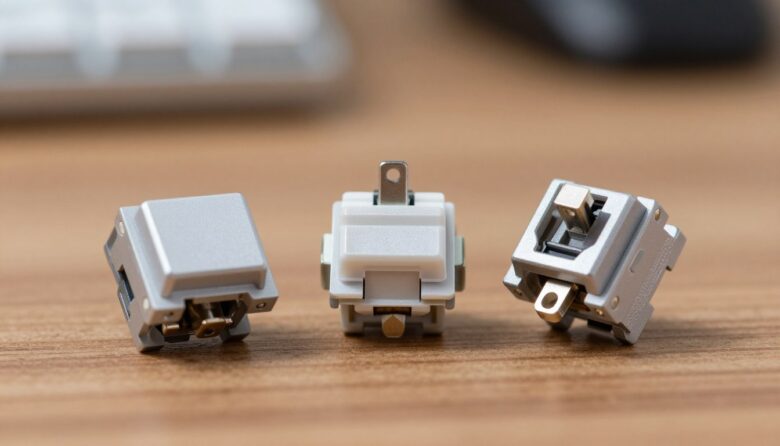
I’ve tested many models, and I know the small parts under each key make a big difference. Mechanical keyboard switches are the individual mechanisms beneath every cap. They replace the soft rubber layer used in common membrane keyboards.
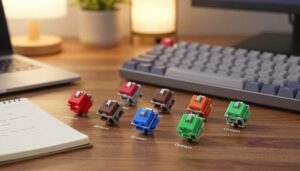
Keychron and other makers group switches into three main types: linear, tactile, and clicky. Each keyboard switch has distinct internal structures that control feel and sound.
- Clear feedback: mechanical switch designs give a more responsive feel.
- Durability: switches last far longer than rubber-dome parts.
- Variety: a wide range of options lets you match features to use.
| Aspect | Why it matters | How it affects use |
|---|---|---|
| Design | Internal stem and spring | Controls feel and travel |
| Sound | Housing and actuation method | Affects typing noise |
| Longevity | Quality of materials | Years of reliable performance |
Before you buy, I recommend trying a few switches if you can. Understanding these core features makes picking a mechanical keyboard much easier.
Defining Linear vs Tactile vs Clicky Switches
Choosing the right switch type shapes how every keystroke feels and sounds. I’ll define each main category so you can match a switch to your needs. This helps you narrow choices before testing in person.
Linear Switches
Linear switches deliver a smooth, uninterrupted travel from top to bottom. There is no bump or extra noise at the actuation point, so the motion stays consistent.
I like these for fast gaming because each press feels predictable and fluid. If you prefer a steady typing experience, this type often wins.
Tactile Switches
Tactile switches include a small bump at the actuation point. That tactile bump gives clear feedback so you know the key registered without hearing a loud click.
The bump helps reduce bottoming out and can improve accuracy for typists. In my testing, this profile suits office work and long typing sessions.
Clicky Switches
Clicky switches combine a tactile bump with an audible click on actuation. The sound makes each press feel deliberate and precise.
I recommend this type if you enjoy pronounced feedback and don’t mind extra noise. For shared spaces, consider how the click affects coworkers.
The Feel and Sound of Linear Switches
“I judge a switch by how quietly and consistently it registers when my fingers move at speed.”
I find that linear switches like the Gateron Oil King deliver a smooth, consistent keystroke that suits fast-paced gaming and quick typing. The lack of a tactile bump means each press feels identical, which helps my muscle memory in intense games.
Quiet operation is another big plus. Because these switches don’t produce a click, the overall sound stays low and the noise is easy to manage in shared spaces.
Many models use a light actuation force, so my fingers tire less during long sessions. That lower force improves speed and keeps accuracy steady.
“I prefer these switches when I want speed and silence without compromising control.”
- Consistent feel improves repeatable inputs.
- Low noise fits offices and shared rooms.
- Light force reduces fatigue during long gaming sessions.
Why Typists Prefer Tactile Switches
For many writers and coders, a small tactile prompt turns good typing into great typing. I find that a clear cue helps me stay accurate and fast during long sessions.
Benefits of Tactile Feedback
Tactile switches, like the Gateron Baby Kangaroo 2.0, give a noticeable bump that confirms the actuation point of every key. That bump acts as a physical guide so I know when a keystroke registered.
The main benefit is accuracy. I hit fewer wrong keys because I don’t need to bottom out to confirm a press. This keeps my speed high and my error rate low.
In shared offices, the balance matters. A tactile switch offers satisfying feedback without the loud click of a clicky option, so the sound and noise stay polite and manageable.
- Less fatigue: the bump reduces the force I use on each key.
- Improved focus: tactile feedback helps me keep rhythm and flow.
- Professional fit: good feel with restrained noise for workspaces.
“The tactile bump served as a guide and raised my typing accuracy during long tasks.”
The Distinctive Experience of Clicky Switches
A loud, crisp click can turn ordinary typing into a deliberately paced ritual.
Clicky switches like the Kailh Box Summer Clicky Switch deliver both a tactile bump and a clear audible click on each keystroke. I find the combo gives instant confirmation that a key has actuated.
The sound is a big part of the experience. For me, the click creates a rhythmic flow that boosts typing speed and precision. It feels satisfying and precise.
- I prefer these switches in private setups where the noise is welcome.
- The pronounced feedback reduces uncertainty with each press.
- Be aware: the higher noise level can distract others in shared spaces.
“The audible click gave every sentence a steady, typewriter-like beat.”
| Feature | Why it matters | Practical effect |
|---|---|---|
| Audible click | Clear actuation cue | Faster confirmation and rhythmic typing |
| Tactile bump | Physical feedback at actuation | Improved accuracy, less bottoming out |
| Noise level | Distraction potential | Best in private rooms or dedicated desks |
Comparing Linear vs Tactile vs Clicky Switches
My comparisons start with the use case: are you racing in games or writing all day?
I recommend linear switches for competitive gaming because their smooth action reduces interruptions in rapid keystrokes. They offer consistent travel and tend to be the quietest choice for shared setups.
For long typing sessions, tactile switches or clicky switches often win. The tactile bump gives a physical cue at the actuation point. That cue improves accuracy and cuts down on bottoming out.
Sound is a major factor. Clicky options deliver the loudest feedback and boost rhythm. Linear models keep noise low. Match the sound level to your environment before you buy.
- I look at actuation force and overall feel to judge comfort.
- Consider how the bump affects typing precision and speed.
- Pick based on daily use: games favor speed; typing favors feedback.
| Aspect | Best for | Practical result |
|---|---|---|
| Smooth travel | Gaming | Faster repeated keystrokes, lower noise |
| Tactile bump | Typing, coding | Clear actuation point, fewer errors |
| Audible click | Private setups | Rhythmic feedback, higher noise |
“Match the switch to the task and your workspace, and your keyboard will feel like it was made for you.”
Technical Parameters That Influence Your Choice
Technical numbers—grams, millimeters, and timing—shape how a switch performs. I focus on a few key specs that predict real-world feel and response.
Actuation Force and Travel Distance
I watch actuation force first. A Cherry MX Red, with a 45g actuation force, is a common benchmark for smooth, low-effort presses.
Total travel distance usually sits between 3.5mm and 4mm. That range tells you how far a key moves before it bottoms out and affects finger fatigue over long typing sessions.
Actuation Point and Responsiveness
Early actuation points of about 1.0mm to 1.5mm give faster response for gaming and quick typing. I pick a shorter actuation point when I need speedy, repeatable keystrokes.
For tactile and clicky switches, the bump and the force to overcome it define the keystroke feedback. That bump actuation point is what makes a mechanical switch feel distinct.
- 45g actuation force is a solid baseline for many users.
- 3.5–4mm travel balances comfort and precision.
- 1.0–1.5mm actuation point favors responsiveness for games and fast typing.
| Spec | Typical Value | Practical Effect |
|---|---|---|
| Actuation force | ~45g | Lower fatigue, smoother presses |
| Total travel | 3.5–4mm | Comfort vs bottoming out |
| Actuation point | 1.0–1.5mm | Faster response for gaming |
“Knowing these numbers helped me choose a switch that matched my work and play.”
Evaluating Quality and Durability
I evaluate switches not by specs alone, but by how they age after months of real typing. I start with the stem and housing. Consistent stem dimensions and a tight housing mean a steady feel and less wobble.
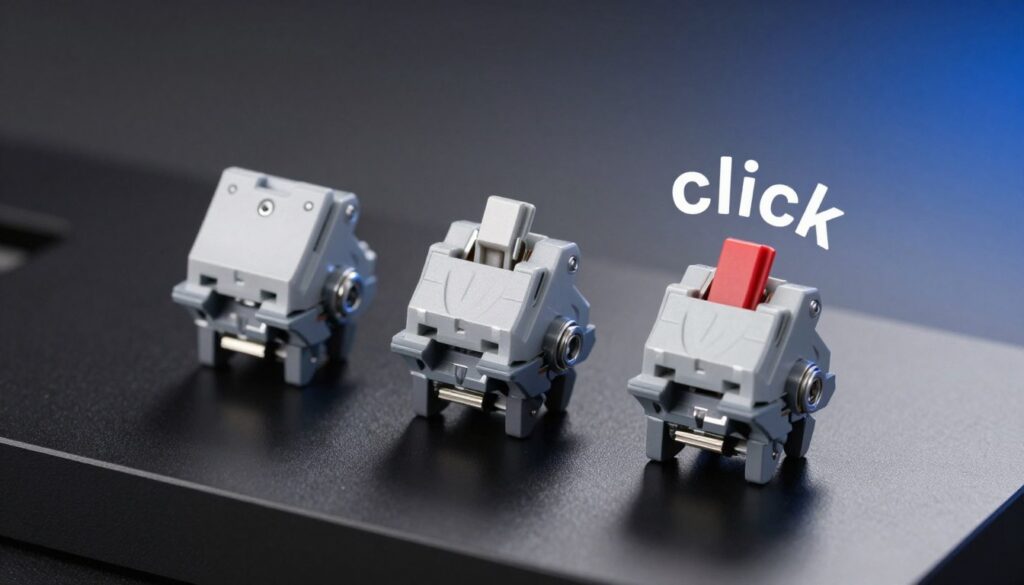
Durability is more than a lifespan number. I check how the contacts resist oxidation and whether springs show metal fatigue after heavy use. A good mechanical switch resists corrosion and stays crisp over thousands of hours.
Sound is an honest indicator of build quality. Unwanted spring ping or rattle often signals cheaper materials or loose assembly. I tune my ear to small noises that predict long-term problems.
Minimal stem wobble keeps keycaps stable and preserves a consistent typing feel. I prefer reputable brands for this reason; choosing a well-tested switch is an investment in the keyboard’s future.
“I trust switches that stay consistent and quiet after months of daily use.”
- Check stem fit: less wobble, steadier travel.
- Inspect contacts: resistance to oxidation matters.
- Listen closely: clean sound hints at solid construction.
Selecting the Best Switch for Your Specific Needs
Deciding which switch fits you starts with the way you use your keyboard every day. Match priorities—speed, feedback, or sound—to the tasks you do most. That focus makes the choice simple.
Switches for Gaming Performance
For fast-paced gaming, I almost always recommend linear switches. Their smooth travel and short actuation let me chain rapid presses without interruption.
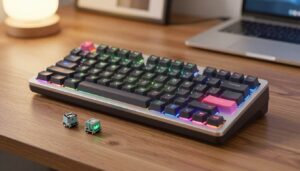
I check actuation point and force to keep fatigue low during long sessions. The Keychron Q3 QMK is great for testing these options since it accepts different switch types easily.
Switches for Office Productivity
At work, I favor tactile switches for clear feedback that cuts typos without loud noise. The bump helps me confirm input without bottoming out.
If you have a private office and love sound, choosing a clicky switch can add satisfying rhythm to typing. Otherwise, pick a model that balances speed and accuracy.
| Need | Best option | Why |
|---|---|---|
| Competitive gaming | Linear switches | Fast actuation, smooth travel |
| Office typing | Tactile switches | Clear feedback, reduced errors |
| Private setup | Clicky switches | Audible click, crisp feel |
“Balance speed with accuracy, and try different switches before you commit.”
Final Thoughts on Choosing Your Perfect Switch
, I believe finding the right switch can turn a plain keyboard into a tool you reach for every day. Choosing the perfect mechanical keyboard switch is rewarding and improves your daily typing experience.
I explored the full variety of options—from smooth to bumpy and loud to quiet—so you can find the one that fits your needs. Test a few keyboard switches when you can; hands-on feel matters more than specs.
Whether you want a quiet mechanical keyboard for shared work or a louder setup that gives clear feedback, there is a switch and keyboard waiting for you. Take your time, match the type to your typing gaming habits, and enjoy a better, more reliable tool for years to come.
FAQ
What are the main differences between linear, tactile, and clicky switches?
I explain switch types by feel and sound. One type offers a smooth keystroke with no tactile bump or audible click, which many gamers favor for rapid presses. Another provides a noticeable bump at the actuation point so you feel when the key registers — ideal for writers and coders who want feedback. The third adds a sharp audible click alongside the bump, giving both sound and feel for those who enjoy classic typing acoustics.
How do actuation force and travel distance affect typing and gaming?
Actuation force is the amount of pressure needed to register a keystroke; lighter force helps faster input, while heavier force reduces accidental presses. Travel distance is how far a key moves before bottoming out. Shorter travel often improves responsiveness for gaming, while longer travel can feel more deliberate for typing. I recommend matching these to your use: competitive play benefits from lower force and shorter travel, while office work may prefer a balanced feel.
Are clicky switches too loud for shared workspaces?
Clicky switches produce a distinct click that many find satisfying, but they can be disruptive in open offices or shared rooms. If noise is a concern, I suggest quieter options with a tactile bump or cushioned dampeners, or using sound-absorbing accessories like o-rings and deskmats to reduce impact noise.
Which switch type is best for fast-paced gaming?
For fast-paced gaming I usually choose a smooth, linear-style switch with low actuation force and short travel. That setup reduces resistance and lets me repeat keys quickly without tactile interruptions. Pairing the switch with anti-ghosting and N-key rollover features gives the best in-game responsiveness.
Do tactile switches improve my typing accuracy?
Yes. The tactile bump marks the actuation point so I can feel when a key registers without fully bottoming out. That feedback helps reduce unnecessary force and improves rhythm, which often boosts accuracy and comfort during long typing sessions.
How do I evaluate switch quality and durability?
I look for switches rated for many millions of keystrokes, consistent actuation force, and smooth travel. Brands like Cherry, Gateron, and Kailh provide clear durability specs and consistent manufacturing. Also check for smooth stem movement and reliable keycap fit to avoid wobble and uneven feel.
Can I mix different switch types on one keyboard?
Yes — many hobbyists hot-swap switches to tailor zones: lighter, smoother switches for gaming keys and tactile for alphas used for typing. I recommend trying combinations slowly to maintain consistency and comfort across the layout.
What role does sound profile play when choosing switches?
Sound affects both personal enjoyment and others around you. Clicky switches are loud and distinct; tactile switches are moderate with a muted thock; smooth switches produce a softer, more neutral sound. Switch housing material, keycaps, and plate all shape the final acoustic experience, so I consider the full build when choosing.
Are there switches that balance typing and gaming well?
Yes. Some tactile switches offer a mild bump with relatively low actuation force, giving satisfying feedback without slowing double-taps. These hybrid choices work well for people who split time between work and play and want one reliable setup for both.
How should I choose switches for an office vs. a home setup?
For office environments I favor quieter, low-profile tactile switches or linear options with dampeners to minimize disruption. At home, I might pick clicky switches for the nostalgic typing sound or a smooth variant for gaming. Ultimately, consider noise tolerance, typing comfort, and the keyboard’s construction when deciding.
What accessories can improve switch feel and sound?
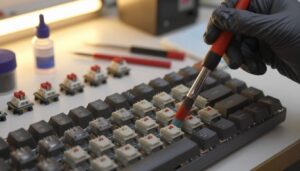
I use lubricants to smooth stem travel, o-rings to soften bottom-out noise, and foam or damping mats inside the case to reduce hollow echoes. Better keycaps and a solid plate also change the sound signature and overall keystroke feel.
How important is the actuation point when selecting a switch?
The actuation point — where a key registers — defines responsiveness. A shallower actuation helps gaming by reducing input delay, while a deeper point encourages full presses and deliberate typing. I match the actuation point to my primary use and personal comfort for optimal performance.

Dylan Mercer is a hardware enthusiast specializing in mechanical keyboards and high-performance mice. He shares in-depth reviews, switch comparisons, and setup tips to help users achieve precision, speed, and comfort in every click and keystroke.