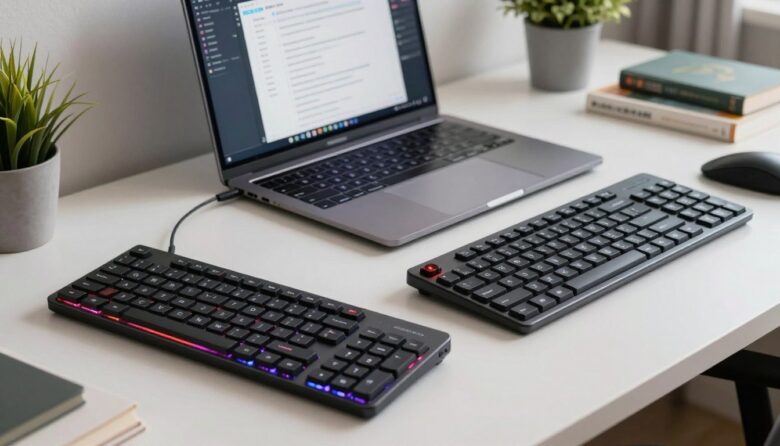
I often find choosing the right keyboard is the first big step when I build or upgrade my gaming setup. My decision hinges on desk space, comfort, and how I place my mouse. A compact design can free room for wide mouse swings and faster movement.
The Dareu EK87PRO is a solid example of a compact model that mixes RGB, responsive switches, and a reliable mechanical keyboard feel. I like how it keeps essential keys while trimming bulk. That makes travel and LAN events simpler for me.
What made me choose between TKL and full-size in practice
When I was deciding between a full-size keyboard and a TKL, I thought the difference would be mostly about preference, but it became much clearer once I used both in my daily setup. With the full-size layout, I really appreciated having the numeric keypad for quick inputs, especially when working with numbers. But over time, I noticed how much space it took on my desk and how far my mouse had to sit. That extra reach started to feel less comfortable during longer sessions.
From my experience, switching to a TKL made a bigger impact than I expected. The extra space allowed me to position my mouse more naturally, which improved both comfort and control, especially during gaming. I didn’t miss the number pad as much as I thought, except in specific tasks where it really matters.
I’ve noticed that the right layout isn’t about features—it’s about how your hands and desk setup work together.
If there’s one practical tip I can give, it’s to think about what you use most during the day. If your work depends on numbers, the full-size layout makes sense—but if you value space and comfort, testing a TKL for a few days can help you decide more clearly. That simple test often makes the choice much easier.
On the other hand, a full-size layout gives every key and a numeric pad for heavy data work or complex macros. I weigh that convenience against the extra size on my desk. In my experience, the final pick depends on play style, desk space, and whether I need portability.
Key Takeaways
- I prioritize desk space and mouse movement when choosing a layout.
- The Dareu EK87PRO shows how a compact model can still offer strong performance.
- Full-size setups suit users who need all keys and macro flexibility.
- Portability and LAN use often push me toward a smaller layout.
- Match layout to your gaming style and the space you have available.
Understanding the TKL vs full-size keyboards debate
I often start by asking whether a dedicated number pad matters for my work or play.
The full-size keyboard typically offers 104 keys, including a number pad, function row, arrow keys, and navigation cluster. That layout suits heavy data entry and many office tasks.
Tenkeyless models remove the numeric pad and leave about 87 keys. That change saves desk space and gives more room for wide mouse movement during gaming sessions.
A 65% layout lands between compact and standard, with roughly 66–69 keys and dedicated arrow keys. The 60% option trims further to about 58–65 keys and uses layers for extra functions.
- I’ve found the debate mostly centers on whether the number pad is necessary.
- Choosing a layout is a personal choice based on desk space and workflow.
- Both layouts keep the function row and arrow keys that many users rely on.
| Layout | Typical Keys | Best For |
|---|---|---|
| Full-size keyboard | 104 | Data entry, office work |
| Tenkeyless | 87 | Gaming, space-saving |
| 65% | 66–69 | Compact with arrow keys |
| 60% | 58–65 | Minimalist setups |
Defining the full-size mechanical keyboard layout
A standard large-layout mechanical keyboard gives you every dedicated key you might need for work and play.
The role of the numeric keypad
The numeric keypad sits on the right side and is vital for fast data entry and accounting work. I use it daily for spreadsheets and invoicing.
The Dareu A104 Pro is a true example. It supports swappable switches so I can tune actuation force for comfort and speed.
Essential function keys
The full 104–108 keys include a top function row and dedicated arrow keys. These let me run shortcuts without complex layers.
“Having a full function row and number keys keeps my workflow smooth and predictable.”
- I rely on the numeric keypad for rapid data entry.
- Swappable switches let me match tactile feel to tasks.
- Dedicated arrow keys and a function row speed navigation and shortcuts.
| Feature | What it provides | Why it matters |
|---|---|---|
| Numeric keypad | Right side block of number keys | Faster data entry and accounting |
| Function row | F1–F12 keys across the top | Quick access to shortcuts and commands |
| Arrow keys | Dedicated navigation cluster | Precise cursor control without combos |
Exploring the tenkeyless design philosophy
Removing the number pad frees up desk real estate and changes how I position my mouse.
The tenkeyless approach pares a keyboard down to about 87 keys while keeping the function row and arrow cluster intact. That compact size gives me more room for mouse movement and a cleaner desk layout.
I find this layout ideal for competitive gaming because it lets me place the mouse closer to center. That shorter reach reduces fatigue during long sessions and improves my reaction time in fast-paced titles.
Lightweight and portable, tkl keyboards make LAN trips easy. I can grab my board and still have space for a large mouse pad and headset.
- I rarely miss the numeric block during intense play.
- The 87 keys keep essential navigation and the top row for shortcuts.
- The design focuses on saving space without sacrificing core function.
“By removing what I don’t use, I gain room and better mouse movement for serious play.”
Impact on gaming performance and mouse movement
A compact layout often gives me extra desk room that directly improves aiming and reaction times. I notice this most in fast-paced first-person shooter matches where small adjustments matter.
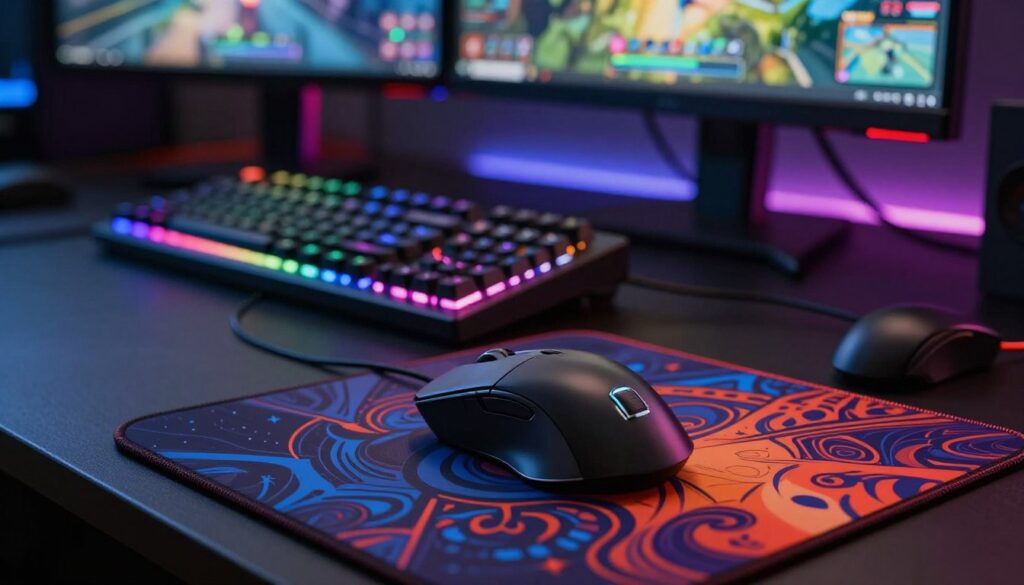
The reduced footprint lets the mouse sit closer to my hands, which shortens reach and speeds up flick shots. That closer placement also helps me maintain a natural wrist angle and lowers fatigue during long sessions.
Maximizing room for mouse movement
The 87-key option keeps essential keys and arrow keys within reach while freeing side space for wide mouse sweeps. I rarely hit the board during intense movement, so my tracking stays consistent.
From experience, a larger layout can push the mouse further right. That extra distance can slow hand movement and cost precious milliseconds in clutch plays.
“Keeping the mouse close and unobstructed gave me better precision and less wrist strain in long sessions.”
- I find my aiming improves when the mouse has generous room to move.
- Closer mouse placement cuts reaction time and helps with quick turns.
- The compact size is a strategic choice for gamers who value speed and control.
Productivity benefits for data entry and office tasks
When my day centers on invoices and quick number entry, a board with a full numeric pad saves me time.
I rely on a full-size keyboard for daily data entry because the dedicated number keys cut keystrokes and errors. That steady layout makes repetitive typing faster and more accurate.
The 104-key arrangement gives me direct access to the function row, arrow keys, and navigation cluster. I run complex shortcuts without toggling layers, which keeps my workflow smooth.
While smaller layouts can handle office work, they force me to use layers or combos for numbers. That slows me down during long sessions of spreadsheet work.
“The dedicated number keys are a must-have for anyone who spends their day working with spreadsheets or accounting.”
- I gain efficiency with the full set of keys for shortcuts and macros.
- Number entry feels natural and reduces hand movement across the desk.
- For heavy data tasks, I prefer a size keyboard that prioritizes functionality over compactness.
| Task | Best layout | Why it matters |
|---|---|---|
| Spreadsheet entry | Full-size keyboard | Dedicated number keys speed typing and reduce errors |
| Shortcut-heavy work | 104-key layout | Full function row and extra keys avoid layer toggles |
| Occasional office use | Smaller layouts (65% / tkl) | Compact size saves desk space but may require combos for numbers |
Ergonomic considerations for long typing sessions
I focus on how a smaller layout changes my posture and reduces reach during long typing sessions. Ergonomics is about keeping my hands, wrists, and shoulders in a relaxed position so I can type for hours without pain.
Natural hand positioning
Removing the numeric pad often brings the mouse closer to my midline. That shorter reach helps my shoulders stay neutral and reduces strain on my forearms.
I notice my fingers fall more naturally on the home row and I don’t twist my wrists as much. This makes long sessions feel easier and keeps my posture steady.
Reducing wrist strain
Keeping the keyboard and mouse close together lowers reaching and limits shoulder tension. I place both devices so my elbows form about a 90-degree angle.
Adjustable feet and a slight negative tilt can also reduce wrist extension. I often tweak the angle until my wrists feel supported and my keystrokes stay light.
“Proper hand positioning and a compact layout helped me type longer with less wrist fatigue.”
- I use a board that helps my hands stay centered to the home row.
- The compact size means I don’t reach far for the mouse while typing.
- I prioritize comfort and adjust the angle to reduce wrist pressure.
- Good alignment is key to avoiding repetitive strain during long typing sessions.
Portability and desk space management
A smaller footprint can transform a cramped desk into a tidy, efficient workspace. I measure width as a key factor when choosing a board for my setup or travel bag.
A full-size keyboard is roughly 17.5 inches wide, while a compact model around 14.0 inches saves real desk space. The 60% option is the most portable at about 11.5 inches and fits easily in a backpack.
I like smaller layouts because they free room for a larger mouse pad and better mouse movement. That extra space makes gaming and long typing sessions feel more comfortable.
For work and travel I often pick the 14.0-inch option. It balances keys I need with easy packing and neat desk design.
- I save inches on my desk and gain room for other peripherals.
- Smaller layouts keep the arrow keys and function row available while trimming bulk.
- Gamers who go to LAN events get a reliable, portable option without losing core features.
“Packing lighter lets me focus on comfort and performance, not on hauling extra gear.”
| Layout | Approx. Width | Best Use |
|---|---|---|
| Full-size keyboard | 17.5 in | Office work, heavy number entry |
| TKL | 14.0 in | Balanced desk space and portability |
| 60% | 11.5 in | Travel, minimalist setups |
| 65% | ~12.0–13.0 in | Compact with arrow keys |
Customization options and keycap compatibility
Compatibility is the first thing I check when planning a custom build. It decides which keycap sets and mods will fit without surprises.
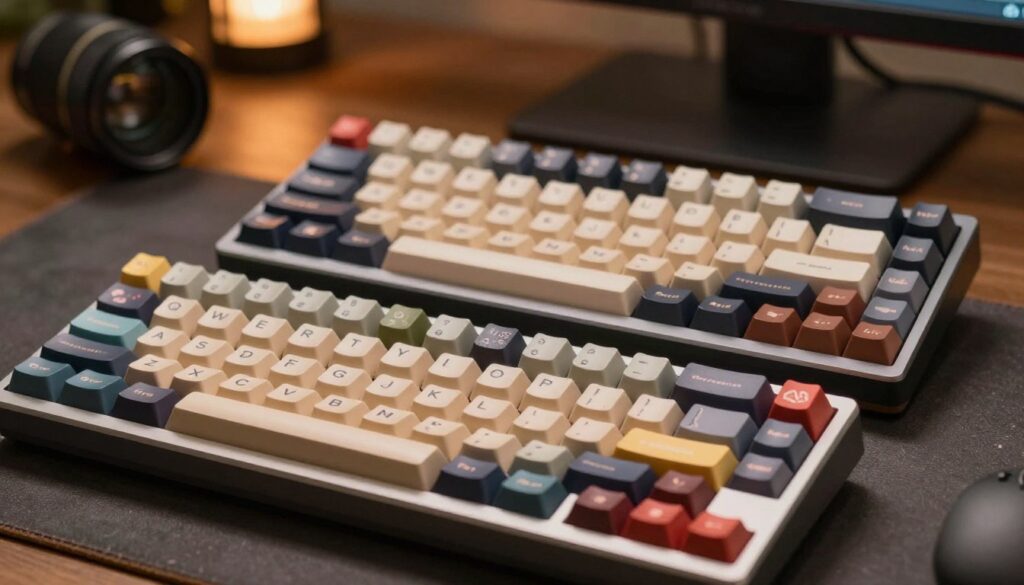
Most full-size keyboard and tenkeyless layouts accept standard keycap sets, so swapping caps is simple and affordable. That makes these boards the easiest to personalize.
Smaller 65% layouts often need special kits because the right side uses nonstandard sizes. I’ve learned to check the right shift and modifier widths before I buy new keys.
Profiles, switches, and the Freebird example
The Freebird series ships ready for Cherry-profile keycaps, which simplifies customization for people like me.
Beyond caps, I change switches and cases to tune sound and feel. These options let me match the look and typing experience to my desk and mouse setup.
“Before ordering new keys, I always verify compatibility for the exact layout and the right-side key sizes.”
- I enjoy the wide customization options that let me personalize my setup.
- Standard sets fit most layouts, but 65% often needs specialized kits.
- I check compatibility carefully so new keys and caps fit without gaps or odd spacings.
| Layout | Keycap fit | Notes |
|---|---|---|
| Full-size keyboard | Standard sets | Easy to customize and widely supported |
| Tenkeyless | Standard sets | Good balance of compatibility and desk space |
| 65% | Special kits often required | Check right-side modifier sizes |
Final thoughts on choosing your ideal layout
I choose a layout that fits my daily workflow and desk setup. If fast data entry is key, a full-size keyboard with number keys and a clear function row keeps me efficient. For gaming and quick aim, a smaller board that brings the mouse in closer helps my accuracy and comfort.
The Freebird series gives good options for both compact and larger designs, so I can pick the right balance of functionality and portability. Think about how much desk space you have, how often you do data entry, and whether arrow keys or extra keys matter to your work.
Ultimately, the best choice is the one that improves your comfort, typing flow, and gaming efficiency while keeping your desk tidy.
FAQ
What’s the main difference between a tenkeyless and a full-size keyboard?
The biggest difference is the numeric keypad on the right. A full-size board includes a number pad and sometimes extra navigation keys, while a compact tenkeyless layout removes the pad to save desk space and bring the mouse closer to your natural reach. I find the trade-off comes down to whether I need frequent number-entry versus more room for mouse movement.
How does the numeric keypad affect productivity for data entry?
A dedicated number pad speeds up numeric data entry and accounting tasks. If my work involves spreadsheets or invoicing, the pad reduces keystrokes and errors. For occasional numeric work, I prefer using an on-screen keypad or a separate numpad only when needed to keep my desk uncluttered.
Do I lose essential function keys or arrow keys when I go compact?
Most compact designs keep the function row and arrow keys, though layout can vary. Some smaller boards combine functions via an FN layer, which I don’t mind once I get used to it. If I rely on one-touch F-keys or dedicated media controls, I check the specific model first to avoid surprises.
Will switching to a smaller layout improve my gaming performance?
A smaller footprint gives more room for sweeping mouse movements, especially in low-DPI or FPS play. I’ve noticed I can position the mouse closer to my body, which reduces arm extension and helps with aim consistency. Competitive gamers often prefer compact layouts for that reason.
How much desk space can I realistically save by removing the number pad?
Removing the pad typically frees up 4–6 inches (10–15 cm) of horizontal space, depending on the board. That extra room is useful for a larger mousepad or a more comfortable arm position. In tight setups, that change alone makes a big difference for my comfort.
Are compact keyboards more ergonomic for long typing sessions?
They can be. By keeping the mouse closer, I avoid overreaching and reduce shoulder and wrist strain. I still look for good key spacing, a comfortable tilt, and quality switches. Ergonomics depend on posture, chair height, and desk layout as much as the keyboard itself.
Does a smaller layout change my natural hand positioning?
Yes — the reduced width brings both hands closer to the body and reduces lateral reach. I feel less elbow flare and better neutral wrist alignment. It takes a short adjustment period, but that repositioning often feels more natural after a few days.
Can I use standard keycap sets on compact models?
Many compact boards use standard key sizes on alphas and modifiers, making them compatible with most keycap sets. However, some tenkeyless and custom layouts use nonstandard bottom rows or split spacebars, so I always verify the layout before buying keycaps to avoid compatibility issues.
Is a compact mechanical keyboard easier to transport?
Yes. Smaller layouts are lighter and fit more easily in backpacks or laptop sleeves. If I travel for work or LAN events, a compact board is much more convenient. A detachable cable and a sturdy case further improve portability.
How should I choose between a numeric keypad and more mouse room?
I base the decision on daily tasks. If my workflow centers on spreadsheets, accounting, or POS systems, I keep the number pad. If I prioritize gaming, creative work, or a minimalist desk, I opt for the compact layout. Testing both in your setup helps, and you can always add a separate numpad later if needed.
Do I sacrifice customization options by choosing a smaller layout?
Not necessarily. Many compact models support hot-swap switches, programmable layers, and standard keycap compatibility. Custom firmware and macro support remain common. I check the specific model’s features to ensure it meets my customization needs before committing.
How does layout choice affect mouse movement space specifically?
Removing the number pad shortens the desk footprint so you can place your mousepad farther to the right without reaching. That extra lateral room reduces forearm rotation and allows wider, more comfortable gliding. For large mouse swipes, that space can directly improve precision and comfort.
Are there hybrid options if I want both portability and a number pad?
Yes. I’ve seen detachable numpads and compact full-size clones that include an attachable pad or utilize a modular design. Wireless numpads also exist, letting me dock them when needed. These hybrid solutions give flexibility without committing to one single layout.

Dylan Mercer is a hardware enthusiast specializing in mechanical keyboards and high-performance mice. He shares in-depth reviews, switch comparisons, and setup tips to help users achieve precision, speed, and comfort in every click and keystroke.